Additional settings
There are several settings in Retail operations that are not accessible by users. Our teams are continually working in order to limit this list so that users can become autonomous on these settings.
VAT rates
The VAT rates available in the application are set by our teams according to the company's country.
Shipping fees
The shipping fees setting allows you to define several calculation rules to be applied to customer documents. It is possible to define whether shipping costs are applied automatically in documents or whether they must be selected manually.
These settings are accessible by our service team.
Calculation methods
There are several calculation methods available in Retail operations:
- No delivery: Allows you to indicate that there will be no delivery on the document concerned.
- Included in the price of the items: Allows you to indicate that the cost of shipping is already included in the price of the products.
- Range based on the document's total excluding tax: Allows you to set a shipping cost amount based on the amount of the document.
- Range based on total weight: Allows you to define a shipping cost amount based on the total weight of the products in the document.
- Range based on total volume: Allows you to set a shipping cost amount based on the total volume of products in the document.
Settings
It is possible to configure calculation rules according to the calculation method and assigned stores. During the configuration, the following information is defined:
- Rule name
- Calculation method used
- Starting date
- Ending date
- Are the fees subject to full VAT or not?
- The list of stores that have access to this rule
- The amounts included in this rule
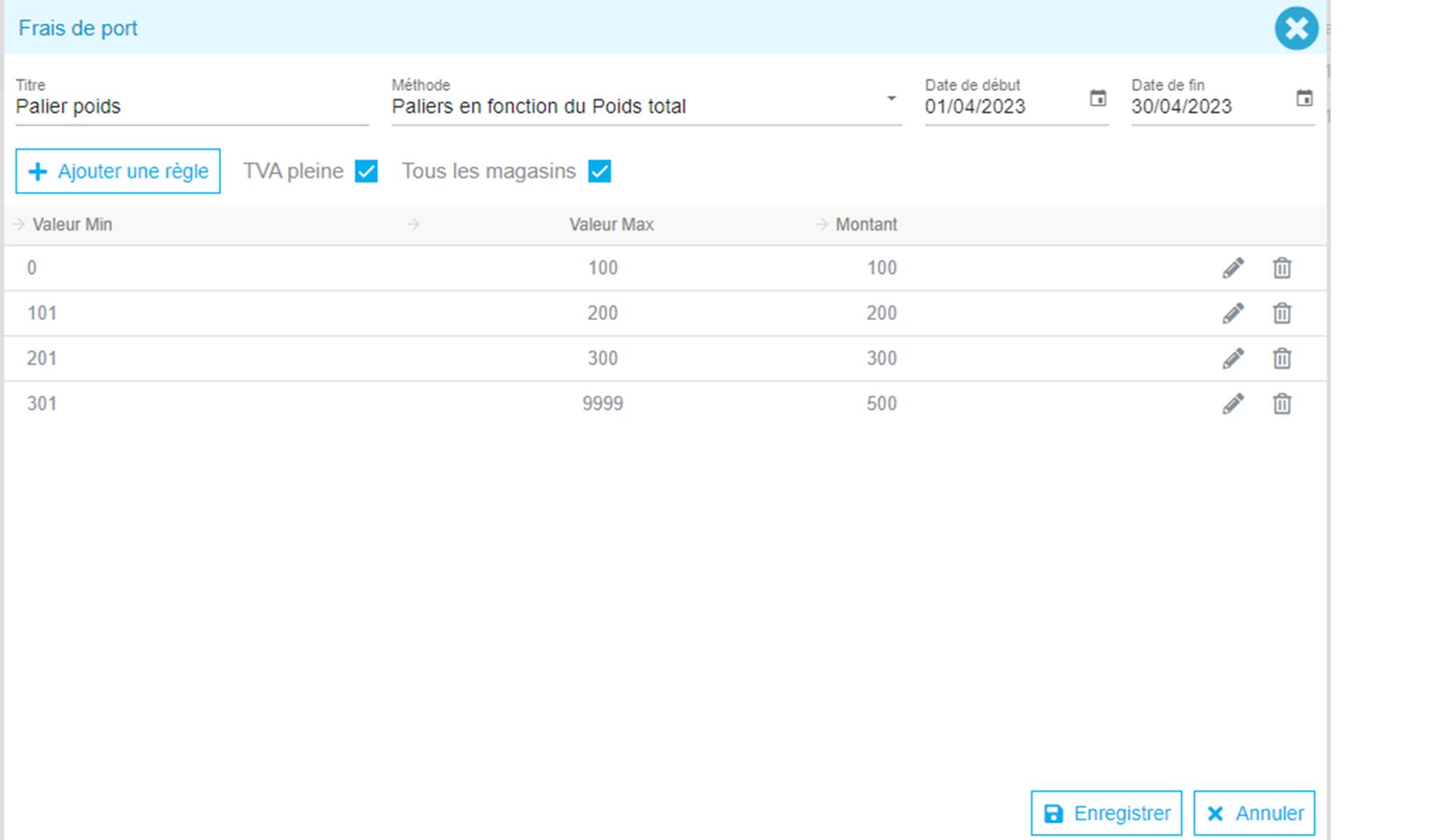
We can then specify at the store level which is the default rule to apply in the case of automatic addition.
Use in documents
The shipping cost information is displayed in the discount entry screen before the total amount. Therefore, discount values applied to the document do not apply to the shipping costs.
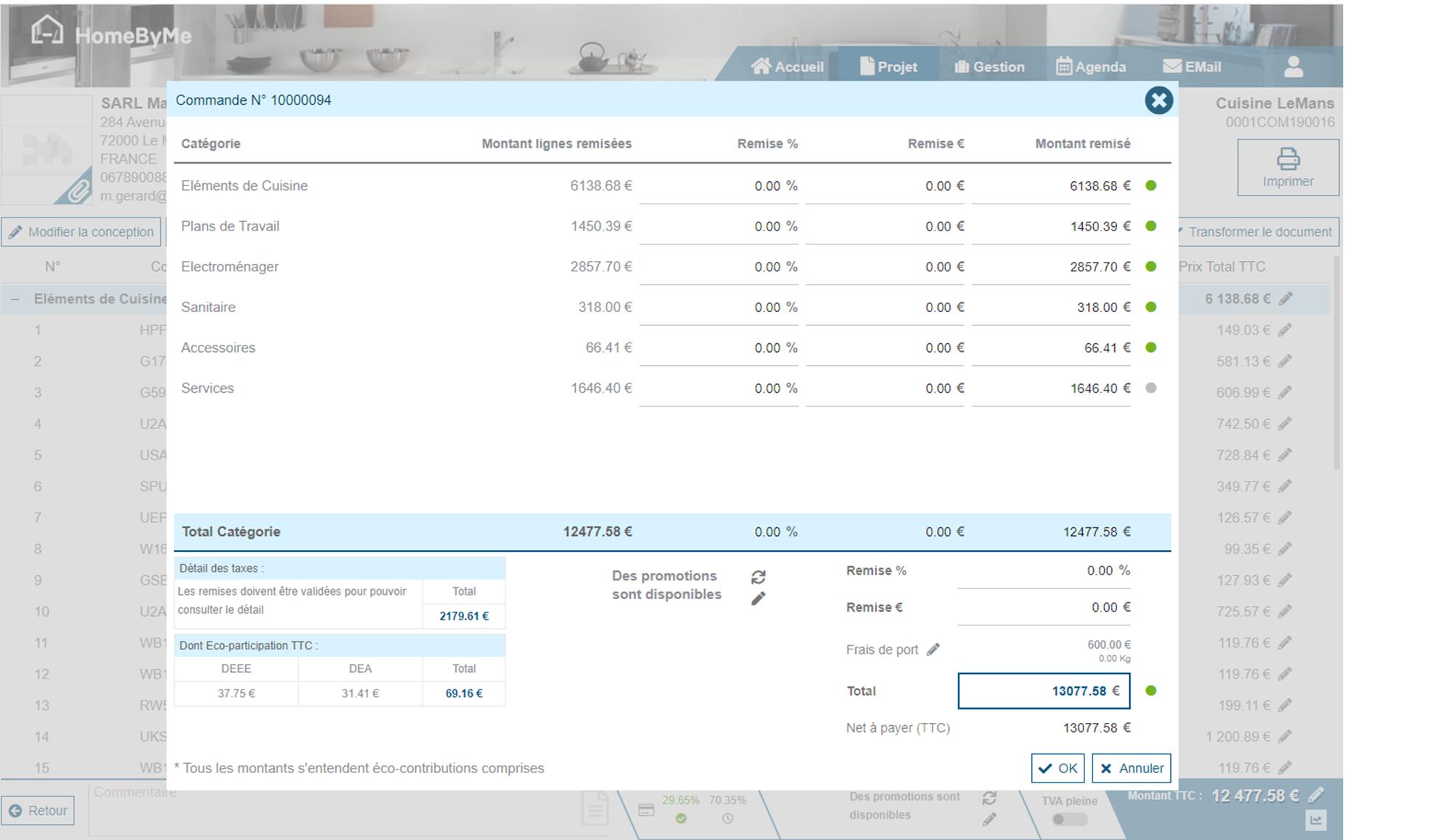
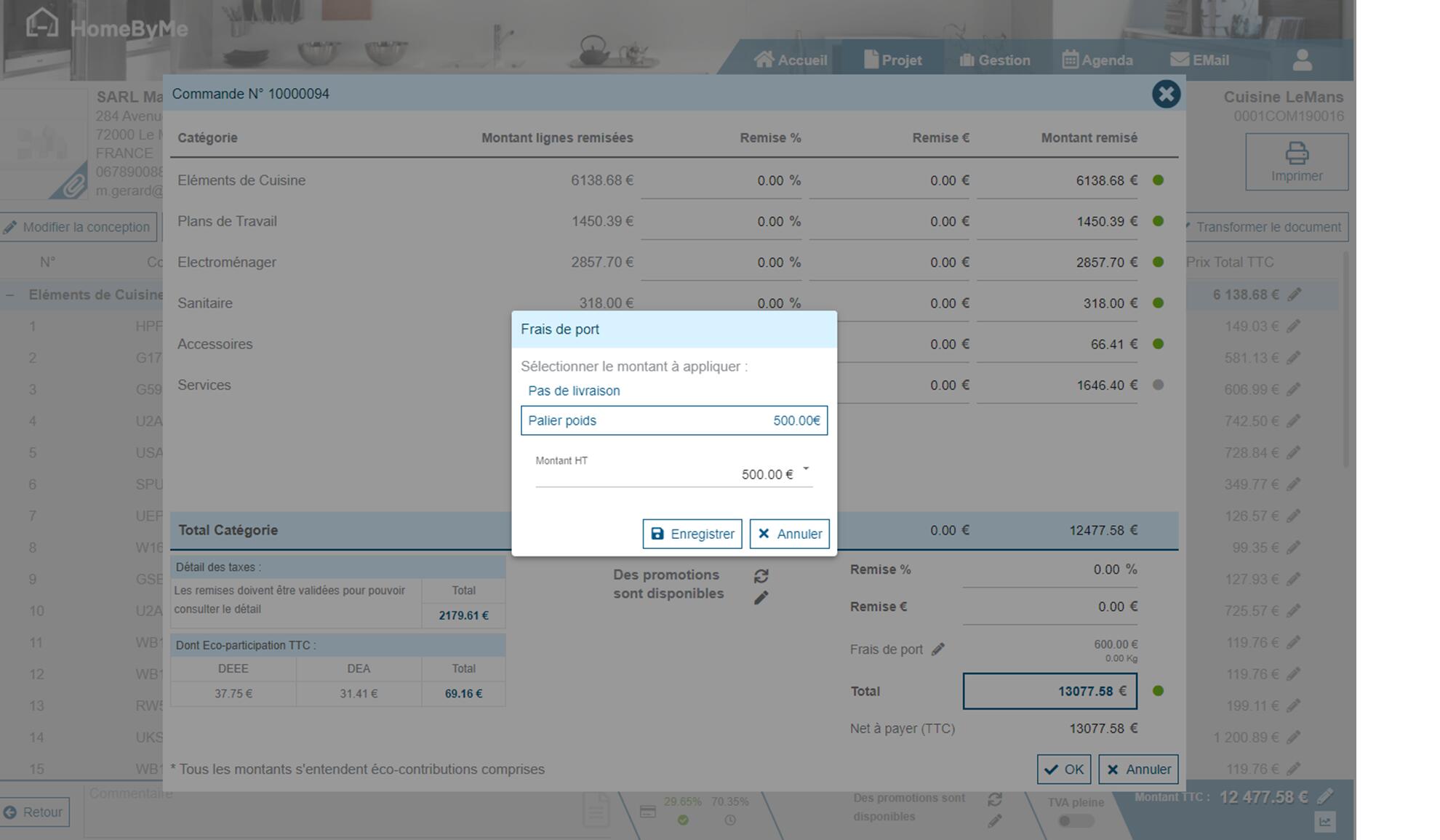
However, it is possible to change the value of the fees by clicking on the pencil. In the displayed screen, you can change the method to be applied according to those configured or directly modify the amount applied by the application:
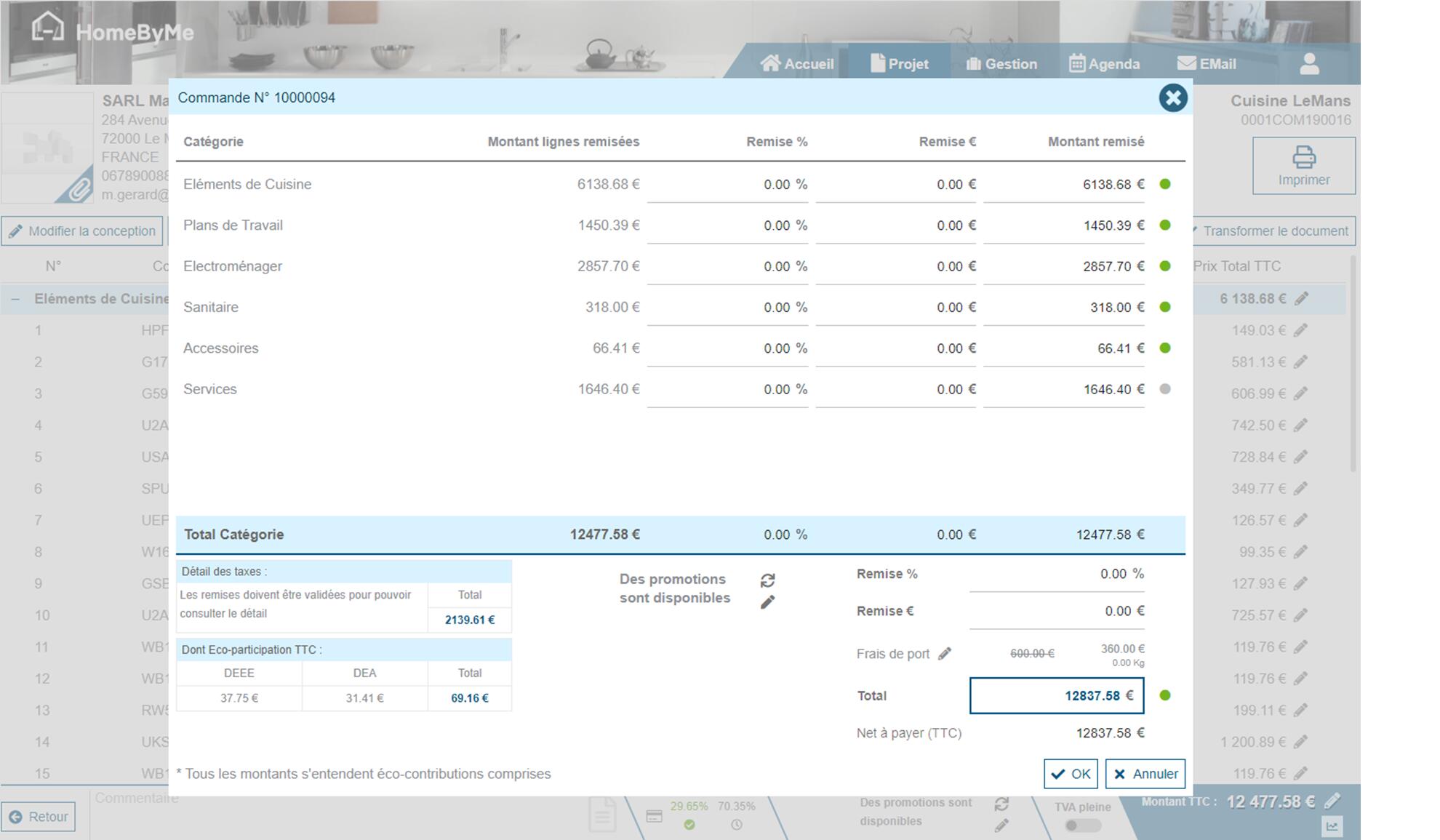
In case the value is modified, the information of the original value is displayed crossed out in order to keep track of this action:
Export settings
From the Management menu, it is possible to export data from customer documents, supplier documents, the customer list, the supplier list and the catalog list.
For each of these exports, there is a list of exportable information. A default setting has been made by our teams and can be modified on request. If the information is available, the change can be made. If the desired information is not available, a study (and possibly a quote) will have to be carried out to add this new information in the data export.
Other settings
Several other information can be customized by our Service team:
- Validity period of quotes (set to 30 days by default)
- Obligation to complete discoveries
- Displaying discoveries for professional clients: It is possible to specify that when creating a project for a professional client, the project discovery form is not offered.
- Validity period of user passwords
- Limit import to one project per document
- Application of VAT by delivery address
- Context menu in documents
- Use of GDPR
- Document display mode (grouping/countermarking)
- Sharing customer contacts between stores
- Active tab when opening the solution
- Use metric or imperial system
- Discount entry screen display modes (available groupings, HT or TTC displays)
- Enabling a second input language for customer information (example for Arabic)
- ...