Customer
Customer types
There are two types of customers in Retail operations: Indivivual and Professional.
- Indivivual: This is the "classic" type used by default when a Customer enters your store.
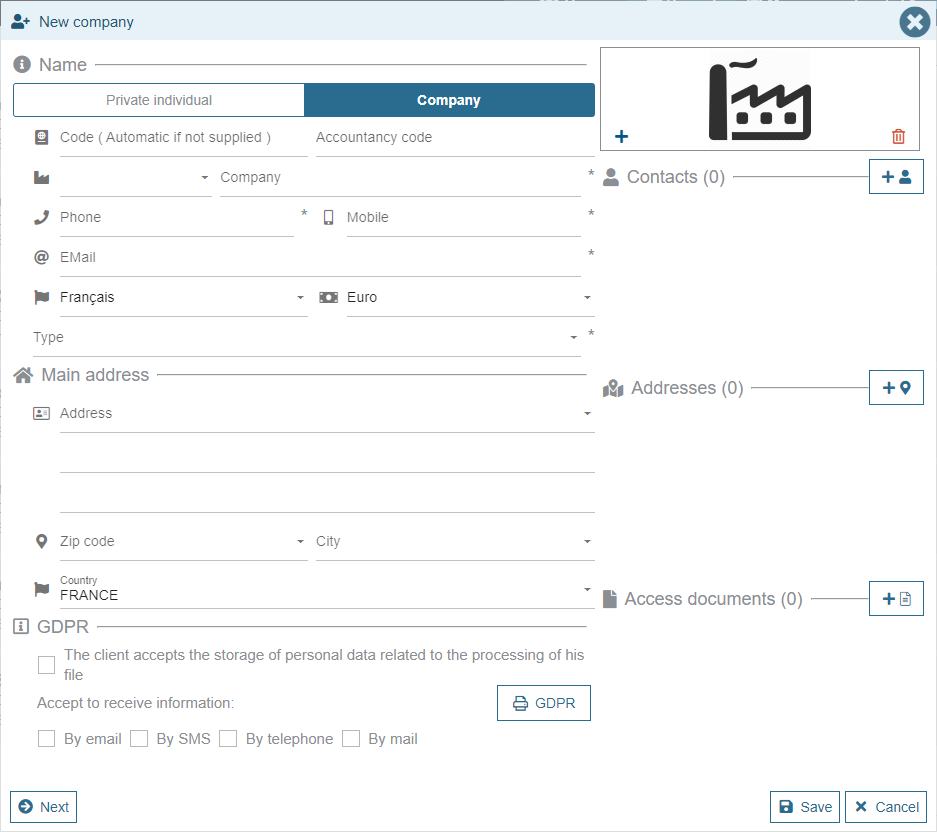
- Professional: In case you also sell to Professionals, you can choose the "Company" Customer type. A second data entry screen is added in order to enter additional information: VAT number, payment method, commercial conditions, etc.
Customer overwiew
When consulting a customer, the application displays the most important information in a simplified screen:
- Contact details: Name, coordinates, adresses, etc.
- GPDR compliance
- Action overview: A brief history of his interactions through the Retail Ops environment (key dates, number of projects, appointments, etc.)
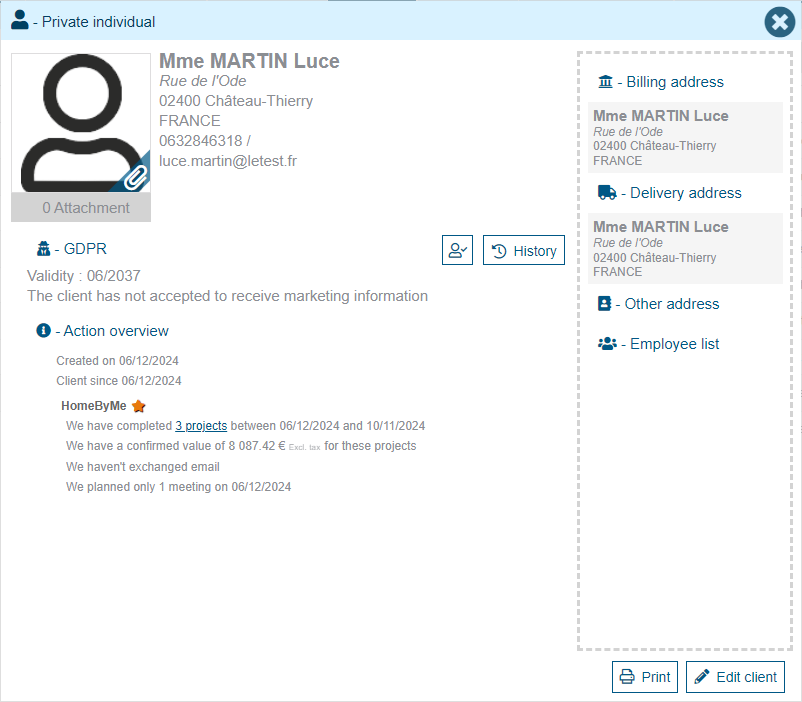
An "Edit client" button allows the end-user to modify his Customer details.
Customer creation/modification
A Customer can be assigned a Name, an Email address, several Addresses and Phone numbers. It can also be assigned some Contacts.
User rights management allows you to define which information must be filled in or not. In the case where information is mandatory, a star is displayed to the right of the information concerned. If it is not filled in, the area will then be underlined in red when the entry is validated.
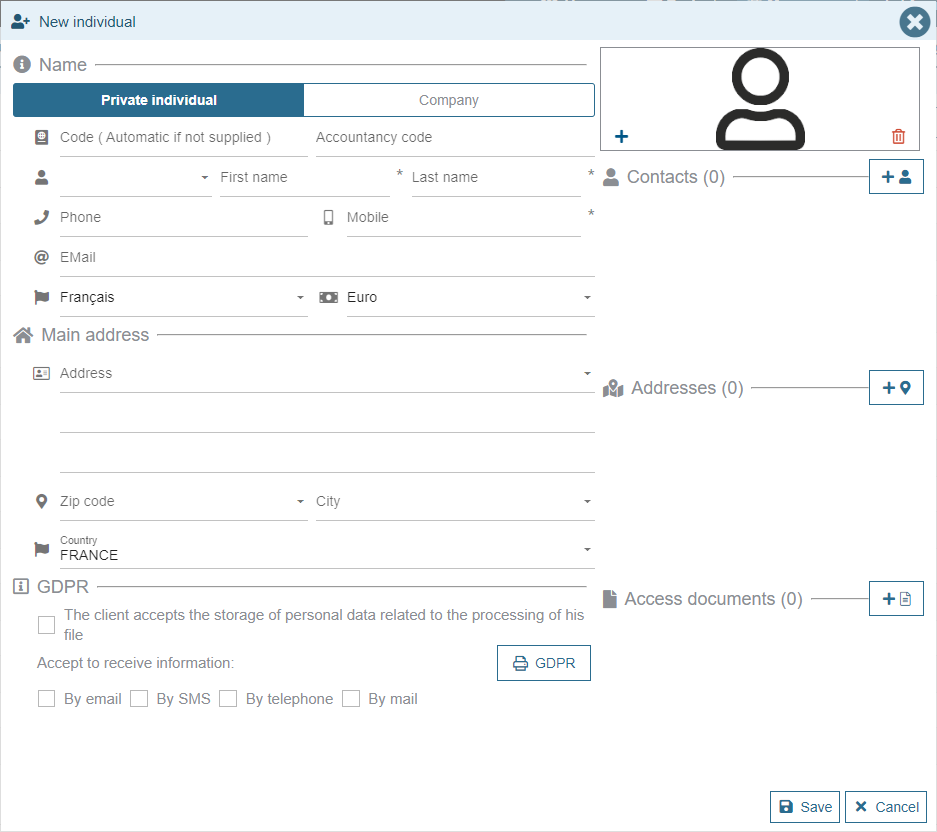
When creating a new Customer, a test is carried out on the email address entered in order to confirm that it corresponds with a valid email format.
Phone numbers follow the ISO E.164 standard: they must begin with the "+" symbol and contain between 3 and 15 digits (cf. ISO E.164 on Wikipedia).
To comply with the legislation of different countries, additional information may appear when creating a customer (examples: dual input language for Middle Eastern countries, request for customer identification number for Spain, etc.).
GDPR
A section is dedicated to the GDPR consent (cf. GDPR).
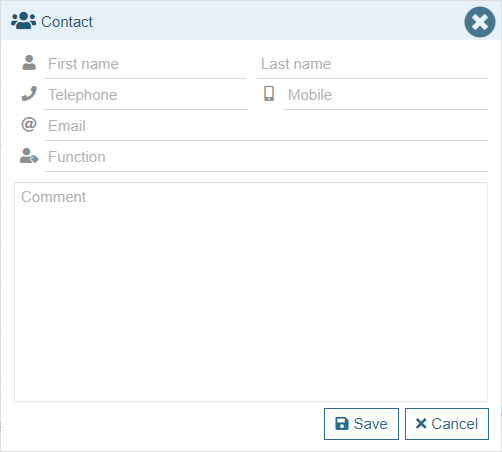
Contacts
In case you want to specify contact persons for the proper management of the project.
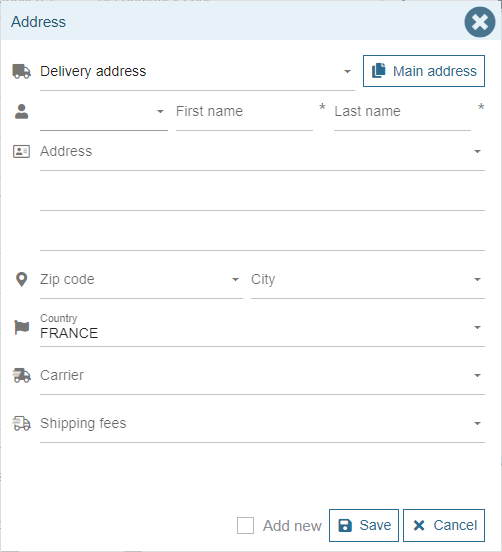
Additional addresses
Delivery address, billing address.
Additional information for professionals
In the case of a Professional customer, an additional page is added in order to complete its specific details:
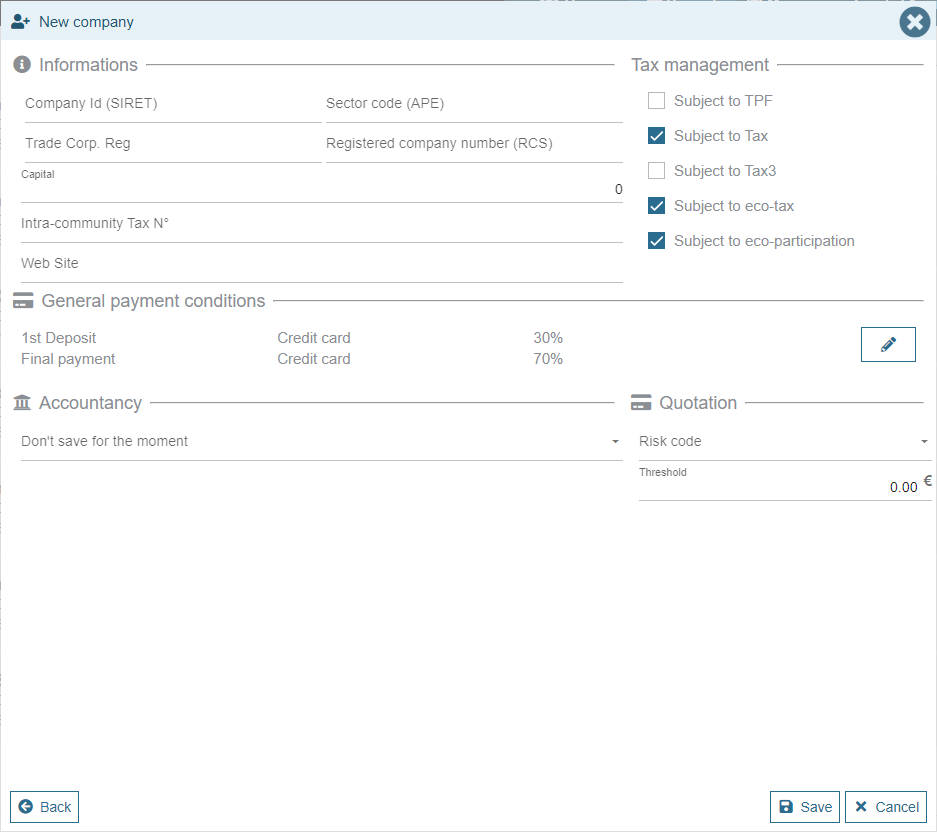
Here you can specify the Company legal information, and set the supported taxes or default payment conditions.