Installation & Service
Installation and service rules can be configured in Retail operations to suggest products to be added to the document.
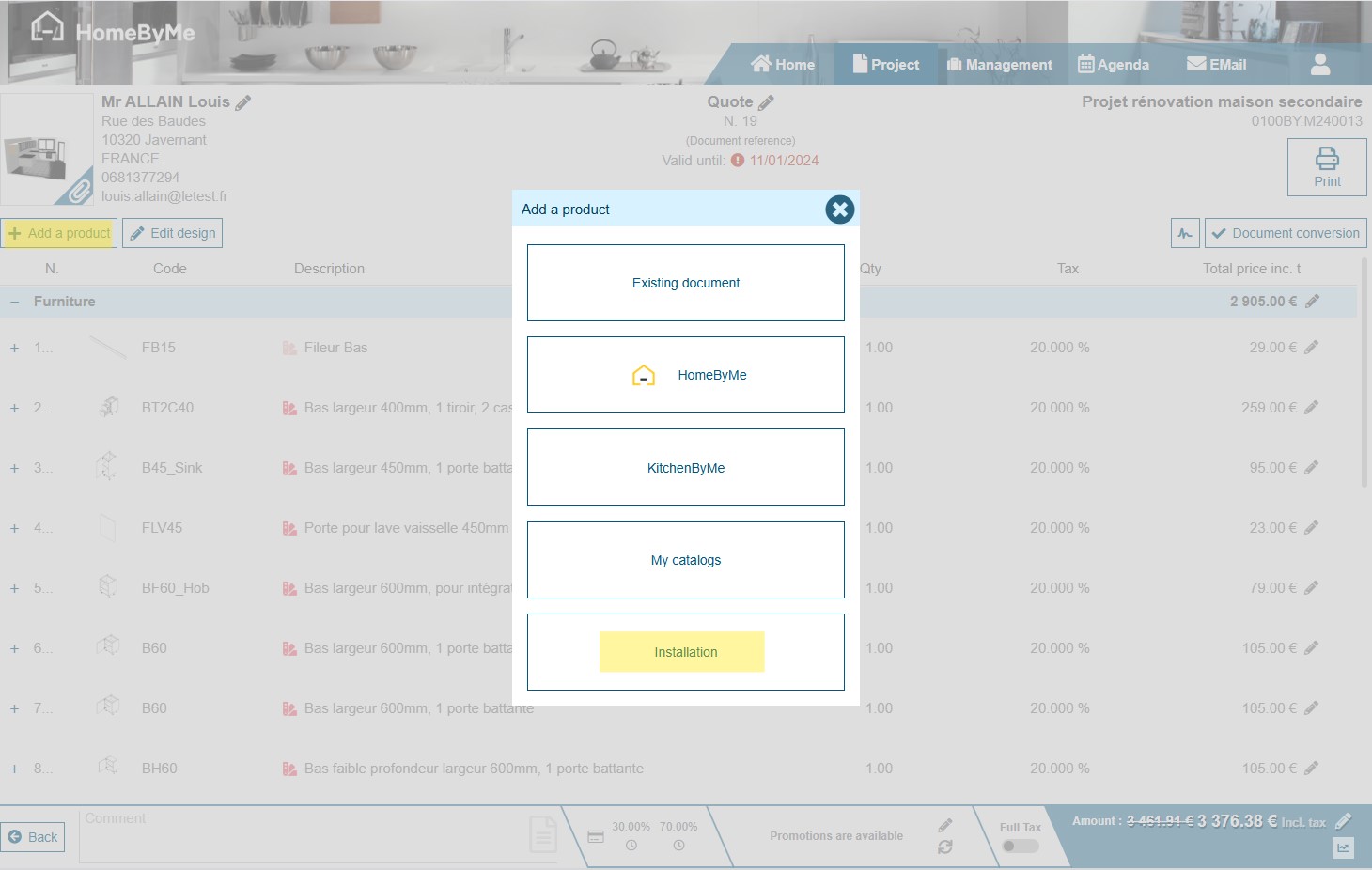
To add installation or service products, click on "Add a product" and select Installation or Service.
Buttons are only present if at least one rule exists. In this screenshot, only the Installation option is present, as there are no rules for services.
A screen displays the installation or service products present in the document, as well as those recommended according to the various rules.
The "Add a product" button lets you manually select a product from a service/installation catalog.
The "Apply recommended selection" button automatically selects the products suggested by the installation/service rules. These products are identified by the light bulb icon.
By validating this screen, only the selected products will be added to the document.
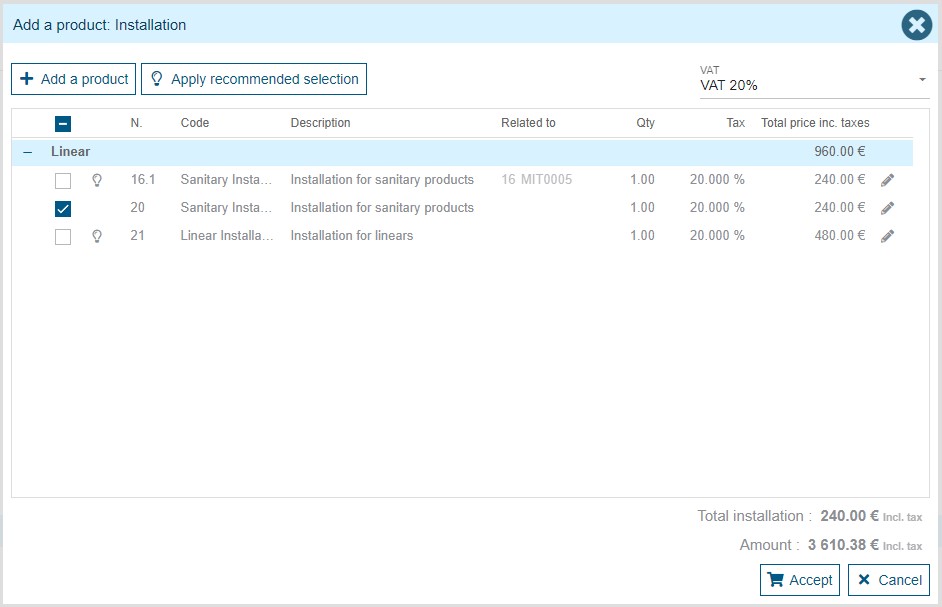
If the suggested line is to be added as an addon, a "Related to" column appears, displaying information about the line that will host the addon.