Payment term
Payment tracking
Retail Ops allows you to track payments related to the current project. The payment terms are visible at the bottom of the document. They are pre-filled with the default payment terms defined at the company or store. Depending on the user's rights, it is possible to modify them with a pre-selection list or to freely customize the payments. You can enter the payment type, the payment method, the amount and the due date of the expected payment.
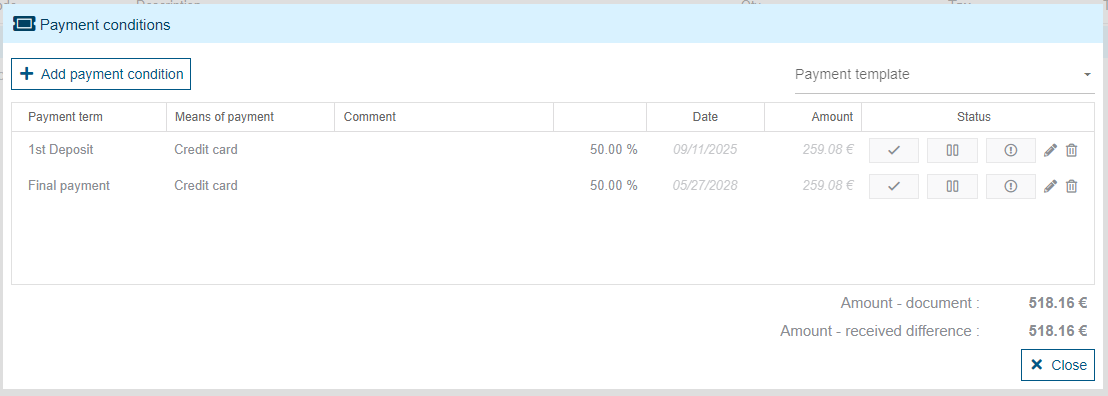
A payment consists of:
- a payment condition: indicates the meaning of the due date, whether it is a down payment due date or a final payment due date
- a payment method: indicates how the payment is to be processed (check, wire transfer, etc.)
- a note: free text entered by the user
- un pourcentage : indique la proportion du document que représente le paiement
- a date: payment date if the due date is paid, otherwise the theoretical maximum due date
- an amount: amount paid or amount expected
- a status: the status of the due date (Paid, Declined, or Pending)
Paying
To pay an upcoming payment, click on the “Pay” button. A pop-up window will open, allowing you to change the payment date, payment method, amount received, and note.
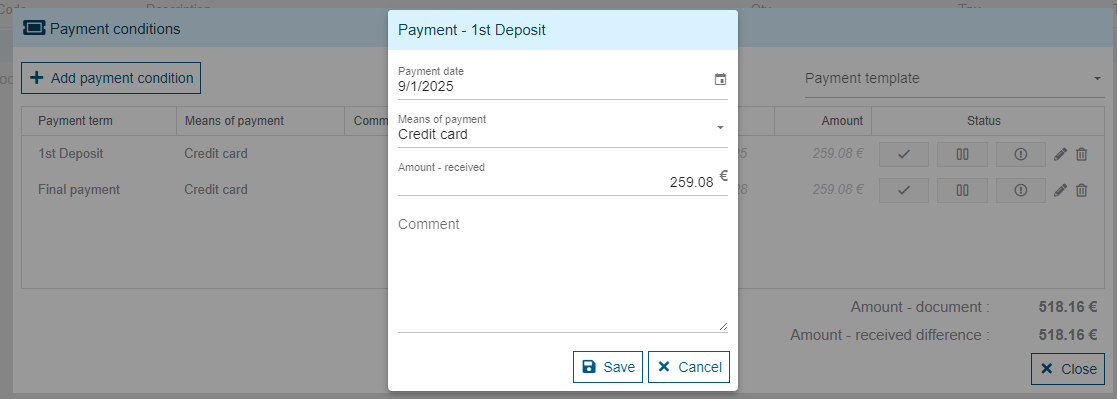
When the user records the payment, it changes to "paid" status and the remaining due payments (not blocked by a status) are recalculated to match the document amount.
If a notification is linked to payment validation, the due date is not marked as "paid", but as "pending". If the notification is an iframe, then the URL set for the notification will be opened in an iframe. If it is an API-type notification, the external system will be called.
The external system will be responsible for calling the API to mark the payment as "paid".
Once the payment has been marked as "paid", if it is a down payment due date and the document is not an invoice or credit note, the user is prompted to create the down payment invoice corresponding to the payment received.
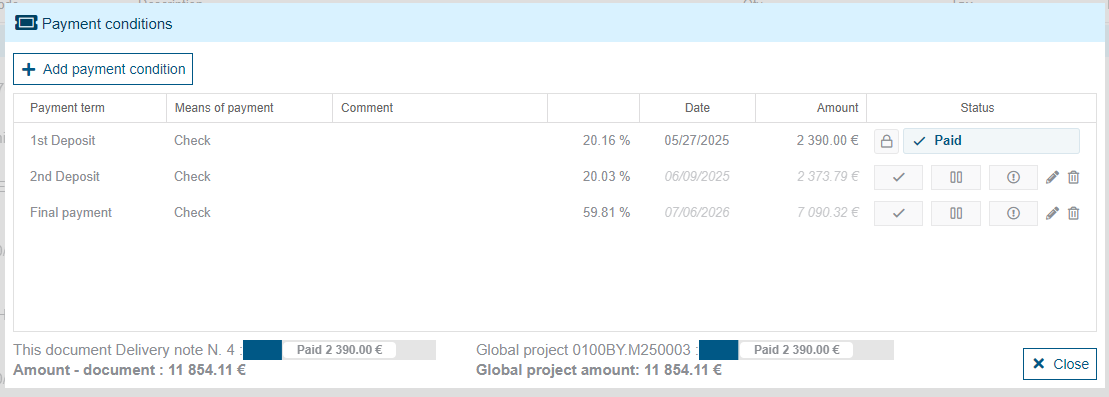
Payment linked to accounting documents can only be modified in accounting documents. On other commercial documents, a padlock and a tooltip indicate that the payment can only be modified from these documents.
Partial deliveries
Specifically for Delivery type documents, two progress-bars indicate the payments made on the current document and the payments made on the project. These indicators allow you to potentially manage partial deliveries (i.e. split the project into several deliveries) and be able to follow-up the global payment tracking of your project.