Shipping fee & Fixed fee
Presentation
In the context of the Retail Ops environment, Shipping fees & Fixed fees are potential additional costs sharing very similar characteristics:
- A computation method, e.g.:
- (Included in product prices)
- Fixed amount
- Amount proportional to the Number of products in the document
- Amount proportional to the Total amount (excluding taxes) of the document
- Amount proportional to the Total weight of the document
- Amount proportional to the Total volume of the document
- Levels according to the Number of products in the document
- Levels according to the Total amount (excluding taxes) of the document
- Levels according to the Total weight of the document
- Levels according to the Total volume of the document
- No delivery
- A validity period
- A set of rules (ranges & amounts)
- A selection of stores that are likely to use it
Application
When in a Retail Ops document, just click on the pen on the bottom-right of the screen next to the Total amount. The selected Shipping fee and/or Fixed fee are displayed on the dialog box that pops-up:
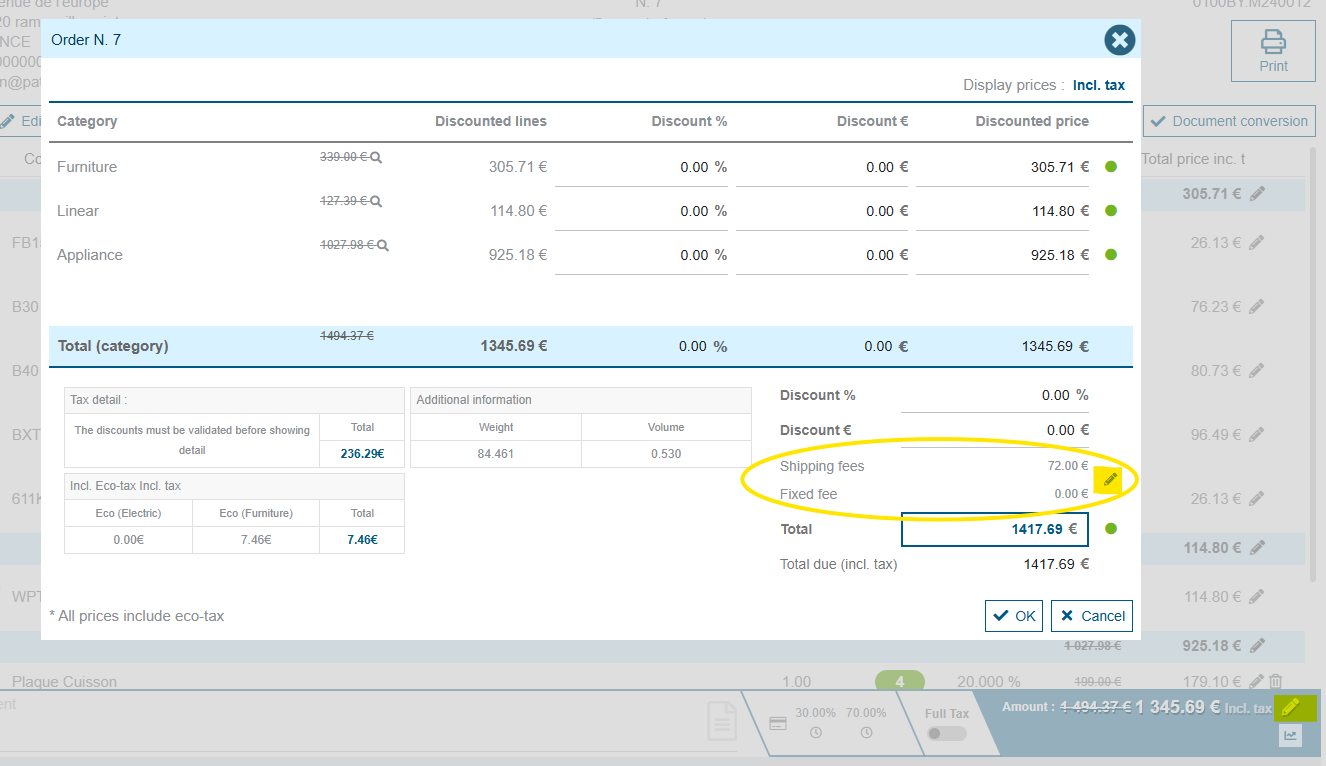
A pen on the right allows you to access and eventually change the selected fees:
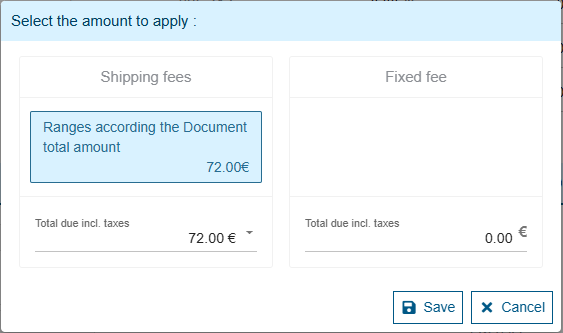
The fees selected by default correspond to those computed by the system and corresponding to the context of your document. But you are free to change the selected values.
Shipping fees and Fixed fees are potentially subject to taxes. Thus the list of available values displayed in the above screen may differ from the one of rules set, since they were defined with prices excluding taxes.