Contacts
Customers
The "Customers" menu allows you to access all Customers created in Retail operations.
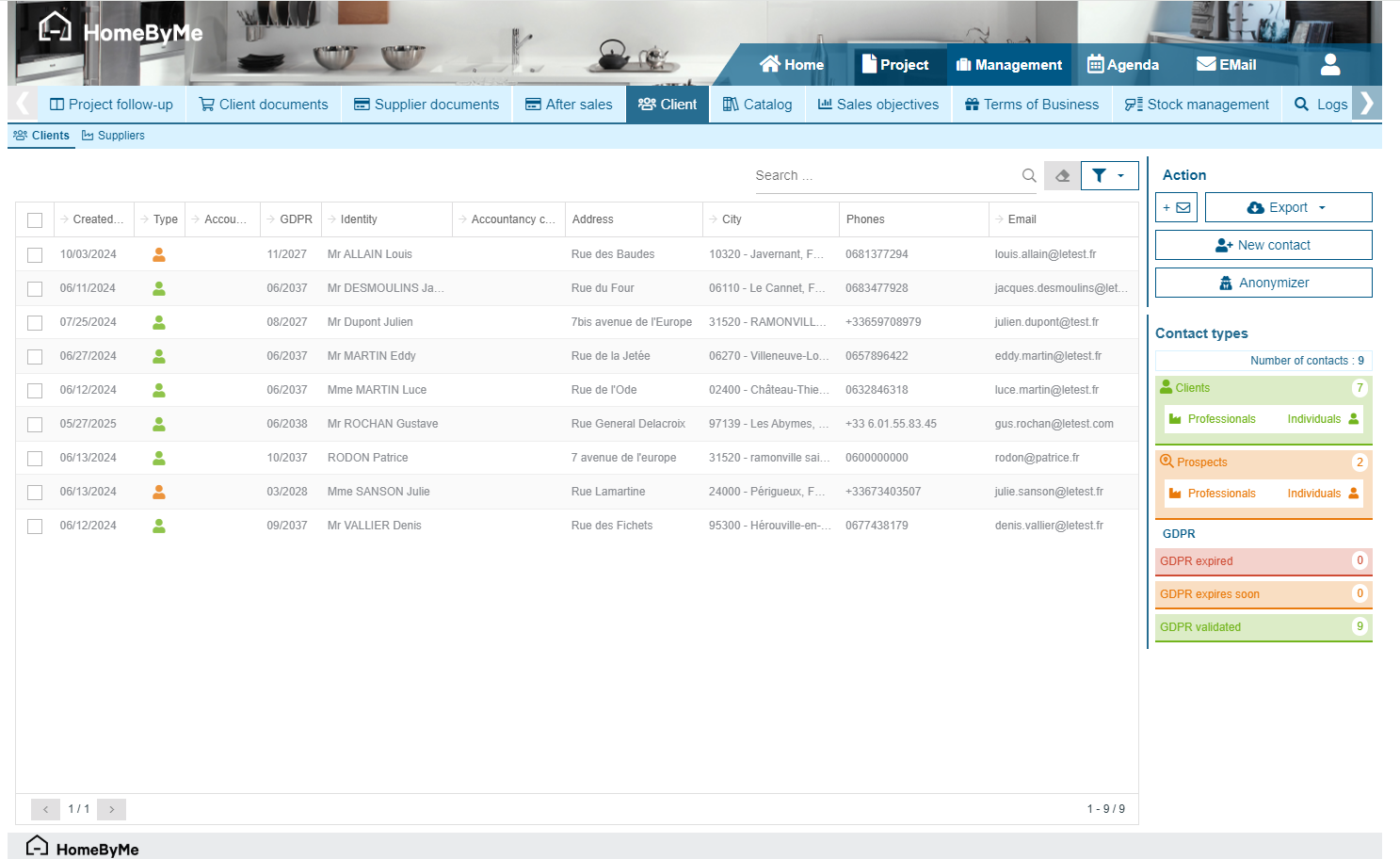
You can access the details of a given Customer by directly clicking on the grid.
Customer type
A visual icon in the "Type" column of the grid indicates both:
- Their type: Individual or Professional
- Their status:
- A "Contact" (grey icon) has no Retail ops project yet
- A "Prospect" (orange icon) has a linked project and a quotation
- A "Customer" (green icon) is assigned a signed quotation, a sales order and/or an invoice
A widget on the right of the screen sums up the number of contacts of each type. Clicking on one of these widgets will filter the list of displayed results in the grid.
GDPR
The "GDPR" column indicates an estimation of the General Data Protection Regulation expiration date for each Contact. Another widget allows you to be alerted of eventual expired data retention perdiods. An anonymization function button (available depending on the user's access rights) will allow you to anonymize a selection of Contacts (cf. the "GDPR" chapter for more information on these features).
Exports
Depending on the user's access rights, it is possible to export a selection of customers in Microsoft Excel format. If no selection is made, all customers will be exported. 2 different export formats are available here:
- Standard export
- Accountancy export
Suppliers
The “Suppliers” menu allows you to access all Suppliers created in Retail operations.

You can access the details of a given Supplier by clicking on the grid.
Supplier type
A visual icon in the "Type" column of the grid indicates the Supplier type: Standard supplier, Platform, Installer, Carrier.
Widgets
On the right of the screen, several widgets indicate some important information:
- The number of active Purchases and their total amount
- The number of active Purchase order acknowledgements and their total amount
- The number of active catalogs
- The number of active suppliers (i.e. at least one purchase order during the past 3 monthes)
An additional graph indicates the Volume of purchases of the last monthes for the list of suppliers displayed in the grid.
Exports
Similar exports formats as for the Customer list (cf. Exports) are available for the Supplier list.
Web contacts
In the case of a Retail operations integration with a Merchant Site, the list of Contacts created from this site and imported into the Retail operations database can be found on this screen.
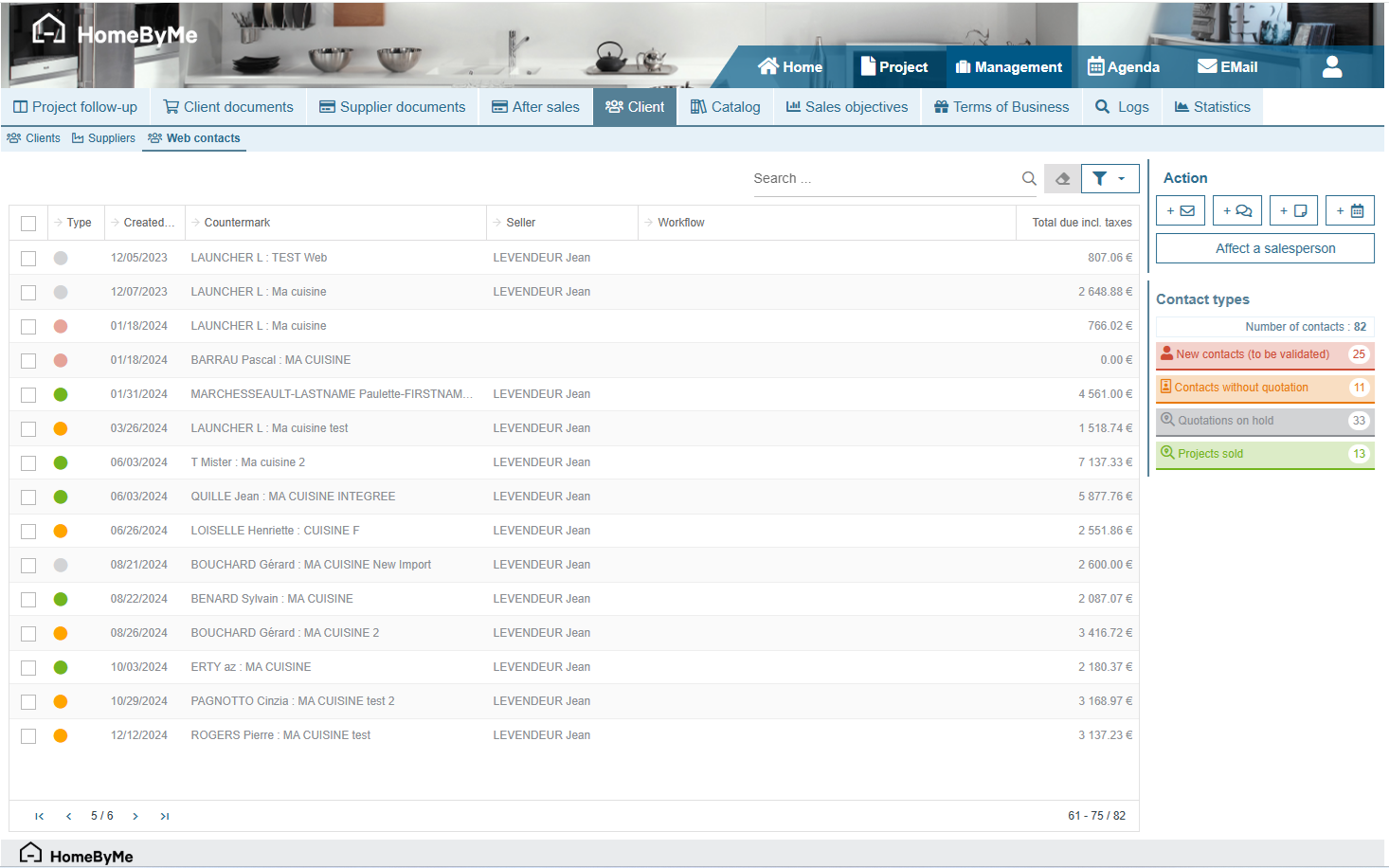
This screen allows you to assign a sales person to each Project created on the Merchant site.
Web contact type
A visual icon in the "Type" column of the grid indicates whether the Contact:
- is new and needs to be validated
- still has no quotation
- has a linked quotation on hold
- has a linked sold project
A widget on the right of the screen sums up the number of contacts of each type. Clicking on one of these widgets will filter the list of displayed results in the grid.