Agenda
The calendar allows you to view appointments scheduled for all employees. You can view your calendar by day, week or month.
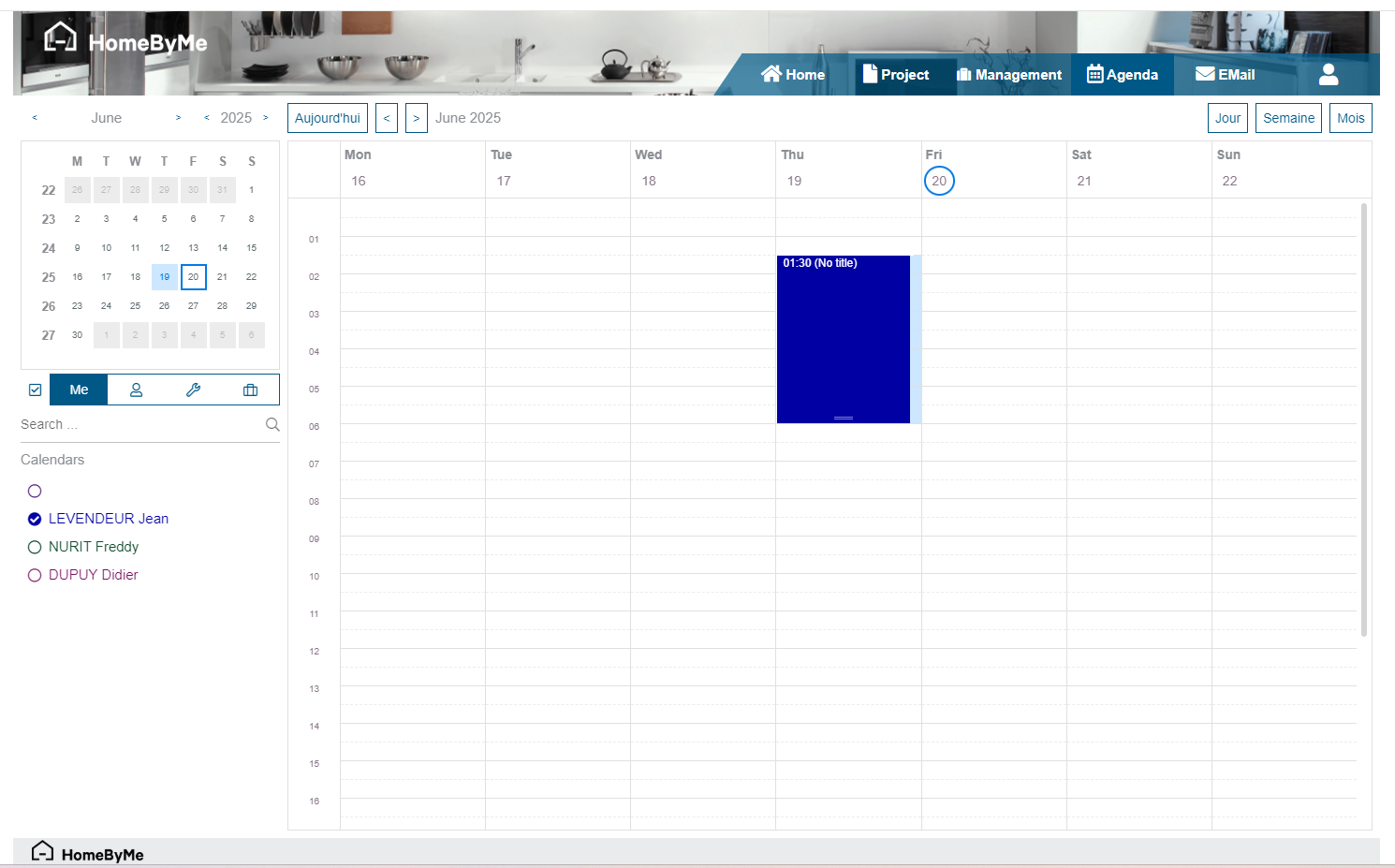
Resource list
The store's various resources are accessible on the left of the screen. A different color is assigned by default to users (this color can be changed from the "My account" menu).
Four selection buttons allow you to quickly display the desired resources: me, sellers, installers and managers.
Selecting/unselecting a Resource in the list filters the displayed Appointments in the Agenda.
info
It is possible through rights management to choose not to share your calendar with other users of the store.
Appointment list
The default colour assigned to each appointment follows the logical scheme below:
- If no Resource is assigned, a default colour
- If only one Resource is assigned, its related colour
- Else:
- If part of the assigned Resources, the current user colour
- Else, if part of the assigned Resources, the Appointment creator colour
- Else the coulour of the first Resource among those assigned