Project info
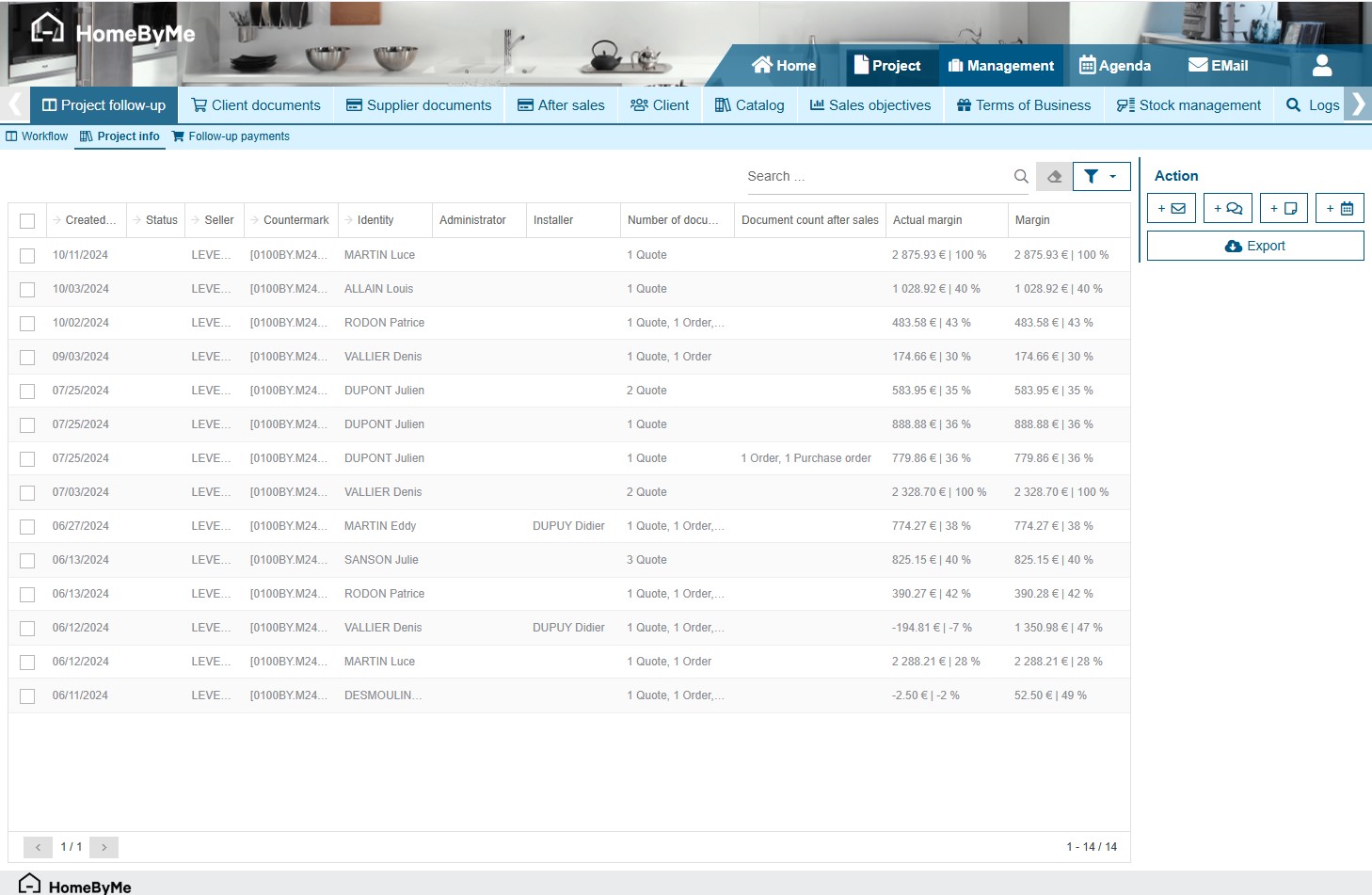
This screen is another way of displaying projects. It allows you to view the types of documents present in the project, and to check actual and theoretical margins by project. It can be filtered by store, salesperson, workflow or project type.
By clicking on a project, you can access its details.
By selecting one or more projects, it is possible to export, send e-mails or create tasks/comments.
Export
You have two project export buttons. The standard export allows to export all the visible grid in an XLS quickly, with a limited number of columns. Detailed export allows exporting a maximum of 100 projects because some information is difficult to retrieve, notably project margins or findings. That’s why we limit the number of projects to be exported. You can therefore add filters to arrive at less than 100 projects to export.