Sales objectives
Creating sales targets allows you to track the performance of a store or user.
When creating a new target, you are asked to enter:
- A name for the target
- A start date
- An end date
- A target type
- A calculation period
- A calculation method
- The store(s) concerned by this target
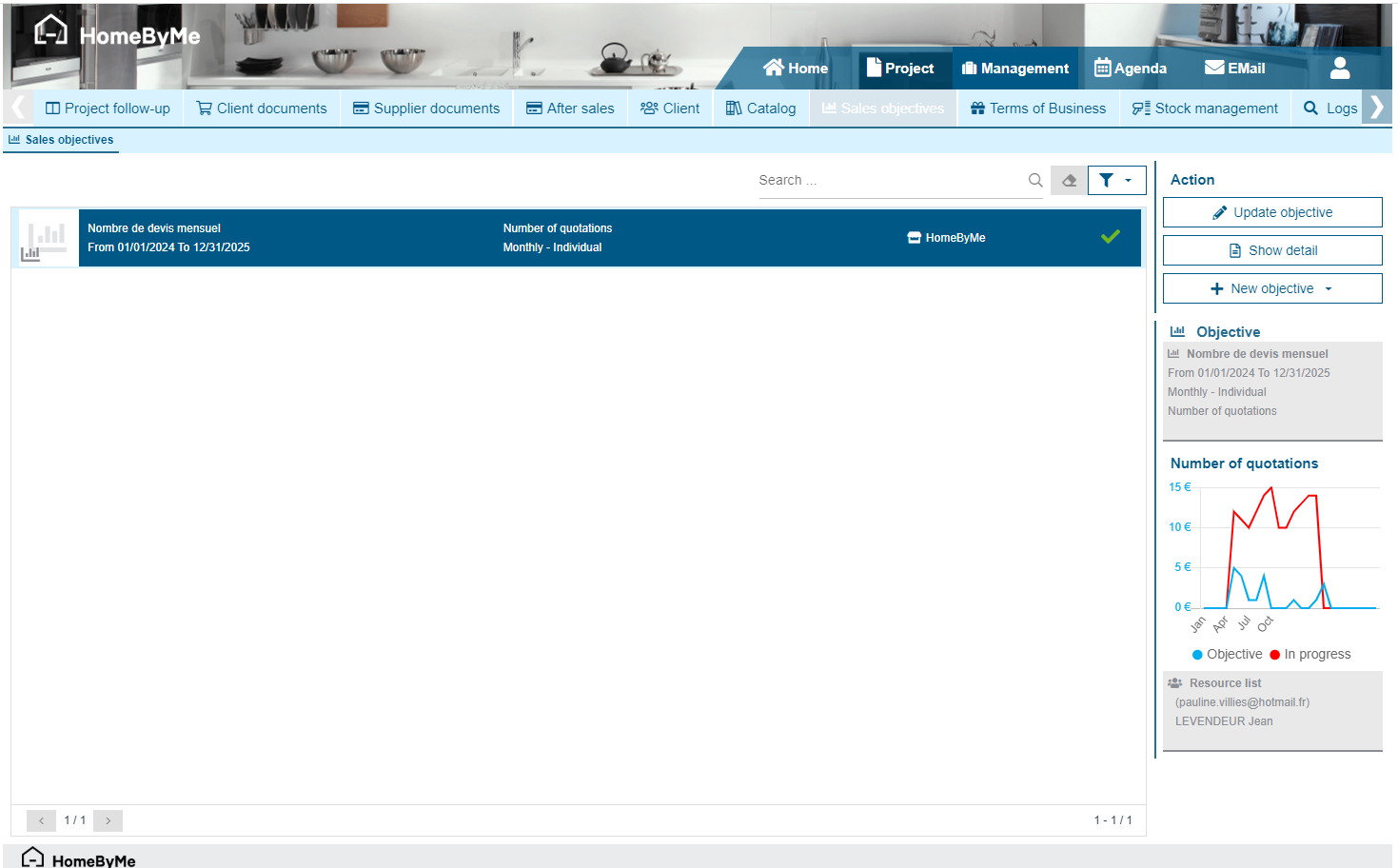
Objective types
There are several types of objectives that can be used to measure different information:
- Number of quotes: Allows you to count the number of quotes made over the period
- Number of projects created: Allows you to count the number of projects created over the period
- Number of order confirmations: Allows you to count the number of customer purchase orders made over the period
- Total Sales Quotes: Allows you to count the amount excluding tax made in customer quotes over the period
- Total Sales Confirmed Orders: Allows you to count the amount excluding tax made in customer purchase orders over the period
- Total Sales Confirmed Orders without Installation: Allows you to count the amount excluding tax made in customer purchase orders over the period, excluding products belonging to "Service" type catalogs
- Total Sales Invoiced: Allows you to count the amount excluding tax made in customer invoices
Calculation period
The calculation period allows you to define whether the objective is “annual”, “monthly” or “weekly”.
Calculation method
The calculation method allows you to indicate whether the objective is individual (per user) or global and therefore applies to the entire store.
Objective details
Once a goal has been created, you can view its details. Thus, you can see a grid with a reminder of the goal and then below, according to the criteria, the values achieved and the goals set.
By selecting "modify goal", you can modify the settings of the goals.