Projects
Information displayed
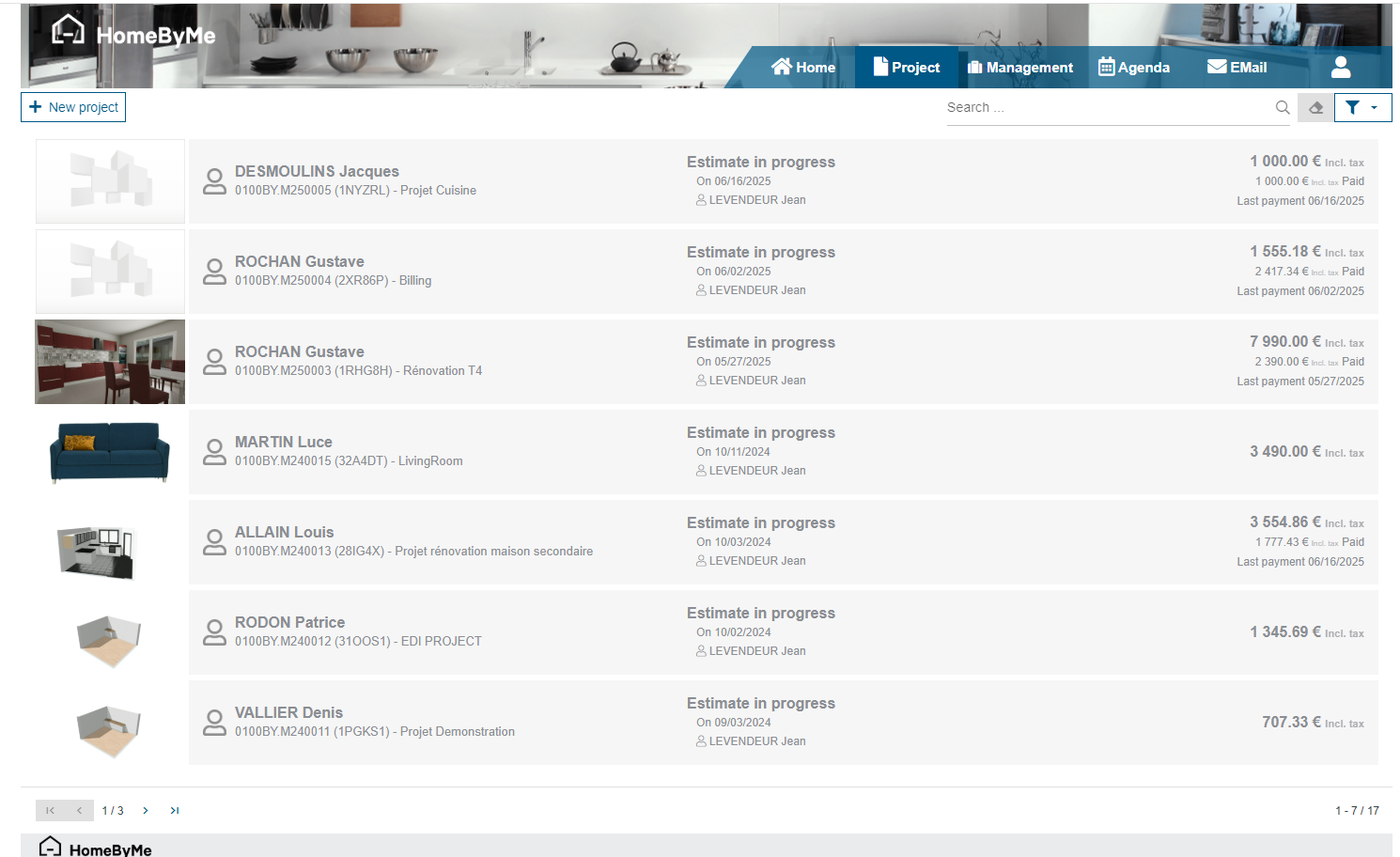
The project tab lists all the projects visible to the user, a counter indicates the number of existing projects and it is possible to navigate between projects by changing pages (at the bottom of the screen). A search box and filters are available.
The visible information is:
- An image representing the project
- The customer name
- The project name
- The project unique code
- The status of the project with the date of progress to this status
- The project amount
- The amount of deposit received on the project If the user has access to projects from multiple stores, the name of the store the project belongs to is also displayed.
Available filters
The available filters are:
- The store (if the user has access to multiple stores)
- The name of the vendor assigned to the project
- A key date:
- Project creation date
- Planned installation date
- Current or past progress date
- The progress of the project
- The type of the project
- The project status
Light version
In its light version, Retail operations offers a different view of its project list, with the minimum required information and possible actions.
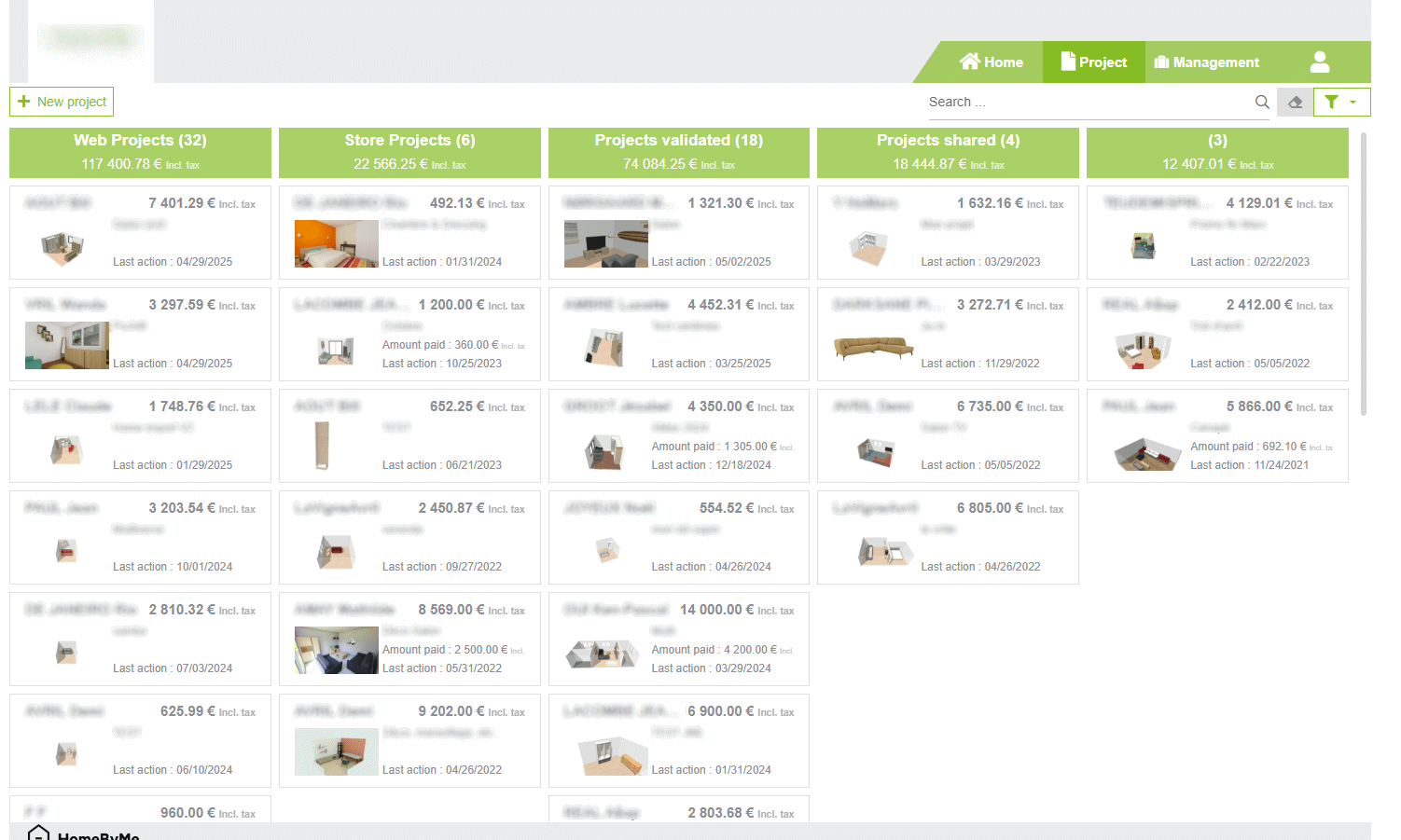
Here the projects are listed in columns corresponding with the different possible stages of progress of a project. Each column header displays the corresponding Number of projects as well as their cumulative Total. The "New Project" button and the Search bar are located just above this grid.
The end-user can change a project status by using the context menu, which allows him to "Move the status forward" or "Move the status backward".
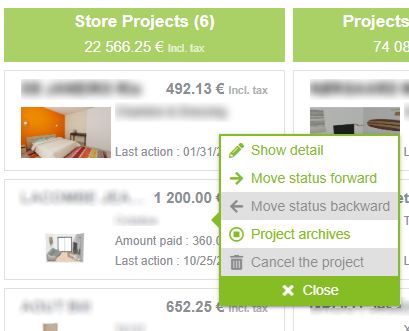
This context menu also allows the end-user to access the details of the active sales document of the project (Quotation or Sales order), in order to modify it.