Catalog
Catalog detail
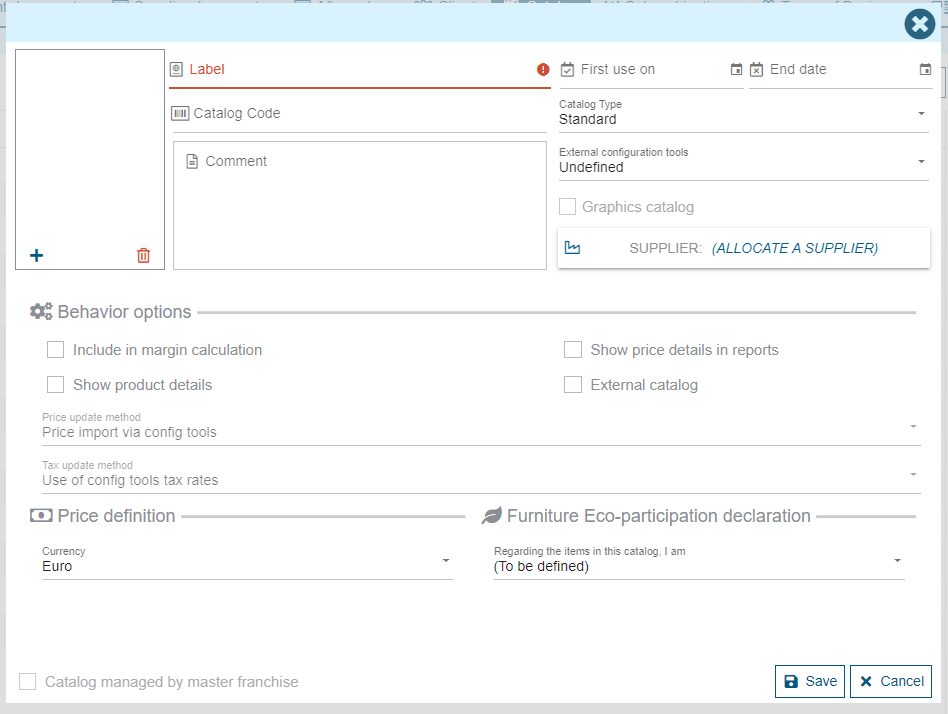
A catalog must have a name to be created. This is the only mandatory information. It is possible to add a description, a start date of use, an end date of use as well as the name of the supplier for this catalog (this is the supplier that will be used when generating purchases).
In addition to this information, there are behavior options:
- "Include in margin calculation" means that the products in the catalog will be included in the calculation of the margin of customer documents and projects. If the box is not checked, these products will be excluded from the calculation
- "Show price details in reports" means that the product prices will not be displayed individually in the editions. Only the total amount of the products will be visible. You must check the box to have the product details on the editions
- "Show product details" allows you to choose to display the products in this catalog in a detailed way or grouped in a single line.
- "Catalog accessible by WebService" allows to make the catalog accessible by an external API. Example: retrieve the products for use by a website.
Catalog type
It is possible to "categorize" the catalogs created in Retail operations. A catalog can only have one type between: Accessory, Decoration, Household appliances, Furniture, Options and Service. These typologies are used for the application filters but also to control certain behaviors.
The "Service" category is used to identify the services provided by an installer. Thus, if a service catalog does not have a predefined supplier, the products will automatically be offered for purchase from the "installer" supplier assigned to the project.
Stores and coefficients
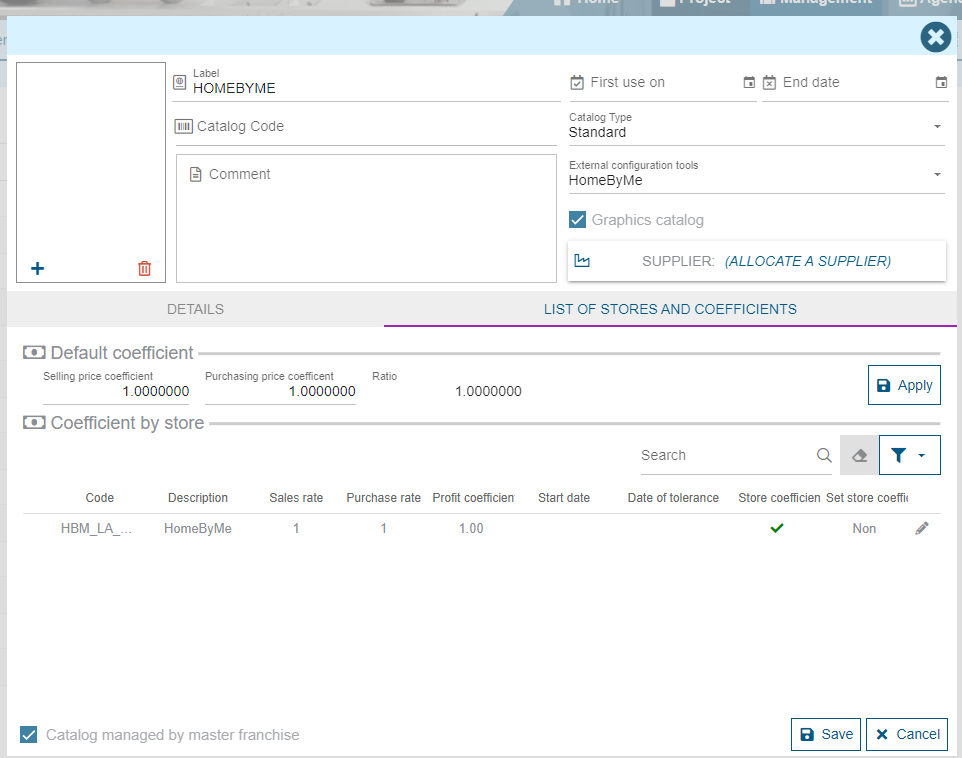
The "List of stores and coefficients" tab allows you to define whether the catalog is accessible to all stores or to some. It also allows you to enter personalized coefficients per store.
Products
Products are accessed via the "View Products" button (depending on your access rights). The full list of Products linked to this Catalog is displayed
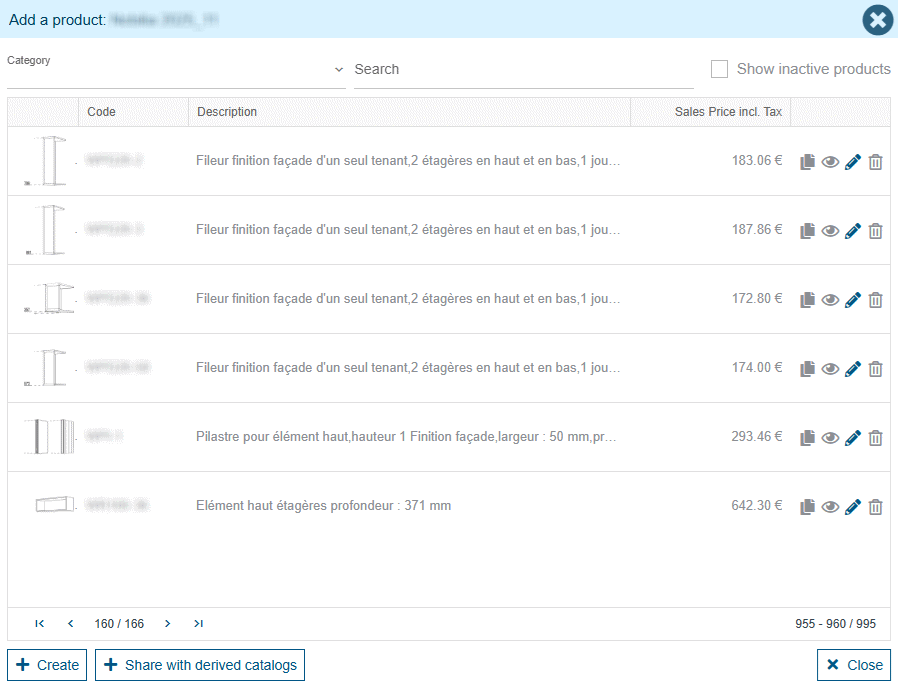
The icons on the right allow you to duplicate, consult, modify or disable the selected Product from the list. An additional may also allow you to create a new one. All these functionnalities depend on your access rights.
A Product cannot be deleted. In order for Retail Ops to ensure data consistency, Products are only disabled.