Supplier
Supplier types
There are four types of suppliers in Retail operations: Supplier, Platform, Installer and Carrier.
- Supplier: This is the "classic" type used for all hardware suppliers. It will be possible to purchase products from these suppliers.
- Platform: This type allows you to classify the supplier as a logistics platform. This allows you to define the correct delivery address for goods for suppliers with "Platform" as the delivery location. A default platform can be defined per store.
- Installer: This type allows you to classify suppliers as installers. They can be associated as such on customer projects and will be available for scheduling appointments.
- Carrier: This type allows you to classify suppliers as carrier. They can be associated to a customer's delivery adress as a carrier.
Supplier overview
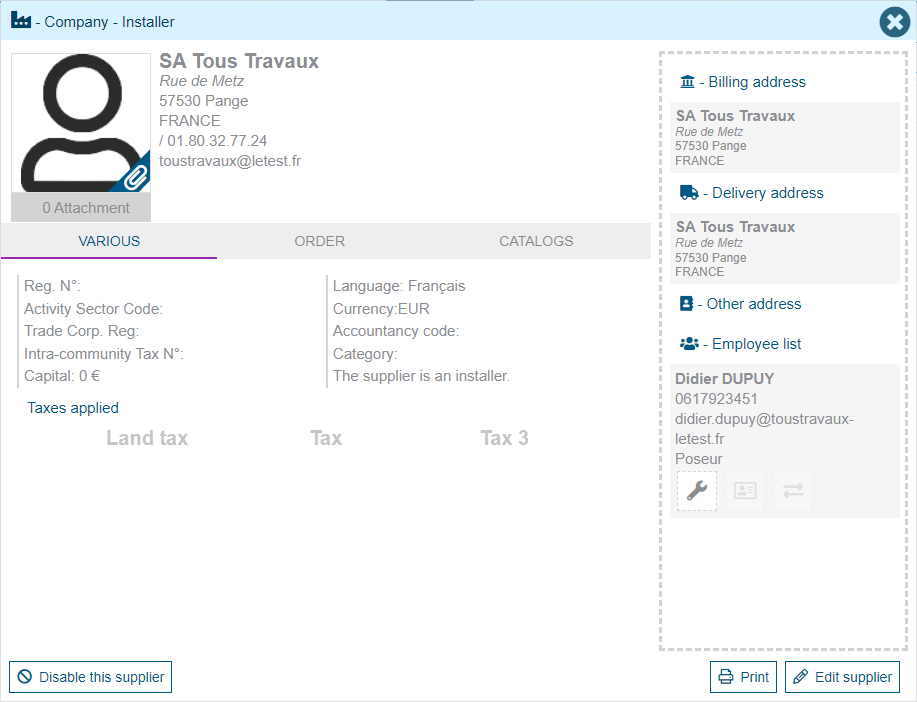
When consulting we find a summary of the supplier's main contact details, their contacts and his billing and delivery adresses. You already find a button to disable or enable him.
Supplier creation/modification
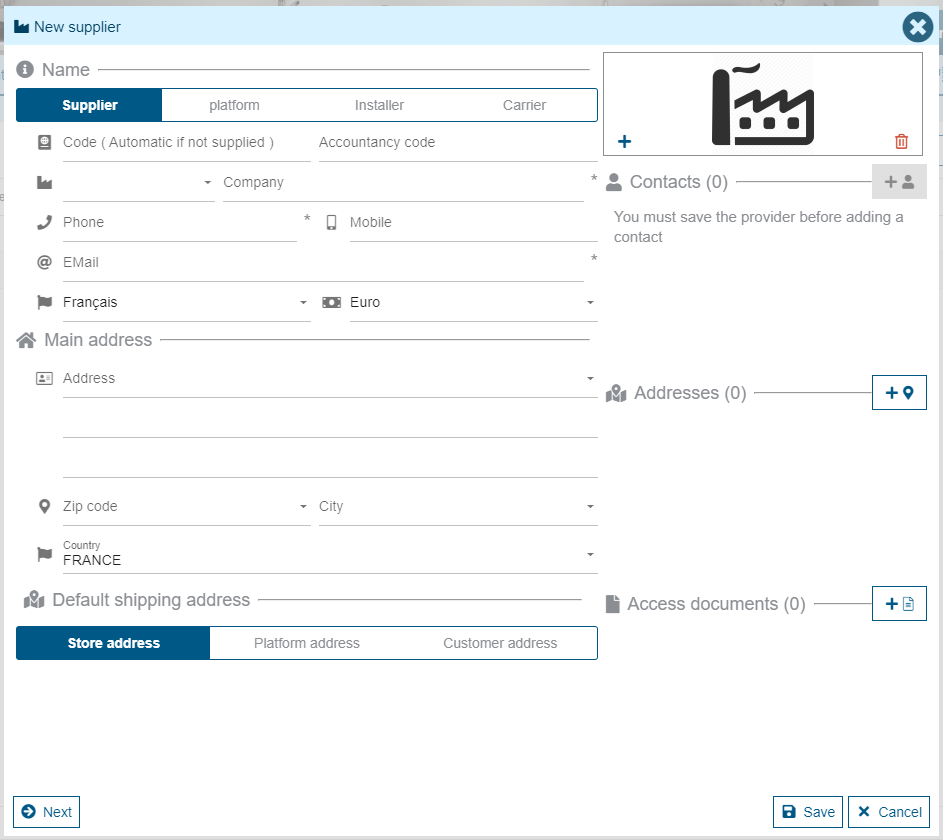
When creating we find the supplier's main contact details, their contacts and the default delivery location for this supplier.
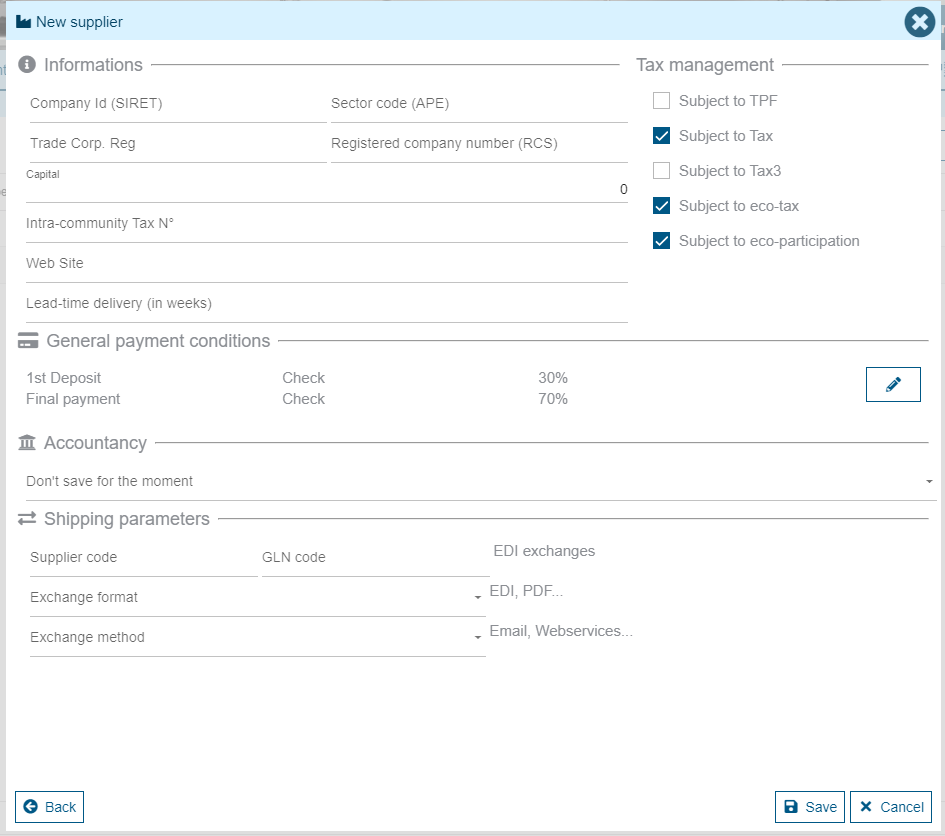
On all suppliers, there is a second page accessible by clicking on the "Next" button. In this screen, you can enter the supplier's detailed information, its tax ratio (submitted or not), the delivery time during the week and the order sending method.
Contact types
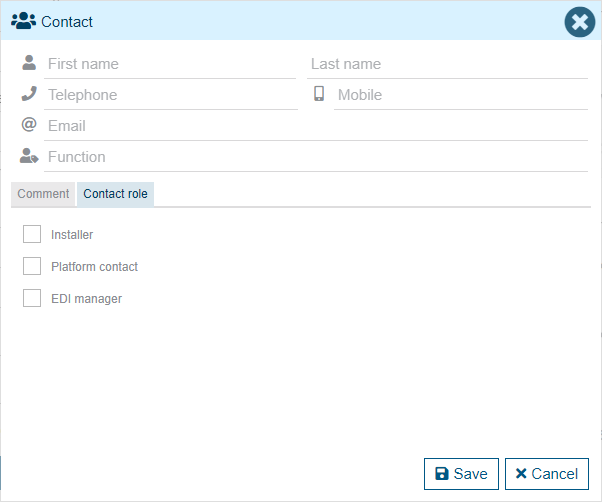
When creating a contact on a supplier, it is possible to associate a role with it. This role can be: Installer, Platform Contact or EDI Manager. Associating a role with a contact will allow you to select one or more stores where this contact will be assigned. Thus, only the designated stores will have access to this contact.
Settings by store
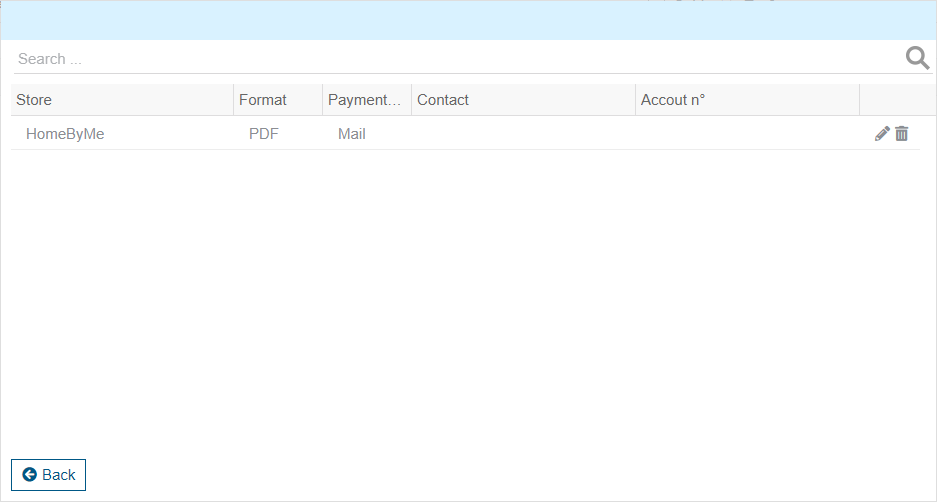
In the second vendor screen, there is a concept of setting by store. This setting is mainly used to define the contacts and account number of each store for sending vendor orders.
The contacts must have been created as "EDI Manager" beforehand.
More detail in the EDI Exchanges documentation.