After-sales service
In the Retail Ops environment, an After-Sales service Project allows the end-user to manage an incident on a customer project, requiring the start-up, maintenance and/or repair of a set of goods that were sold during this project. It can be assigned an identification, some specifications, and in the Retail Ops context is linked to one Project (thus also to one Customer), one Workflow, and can be assigned some Documents, Tasks or EMails.
Create an after-sales service project
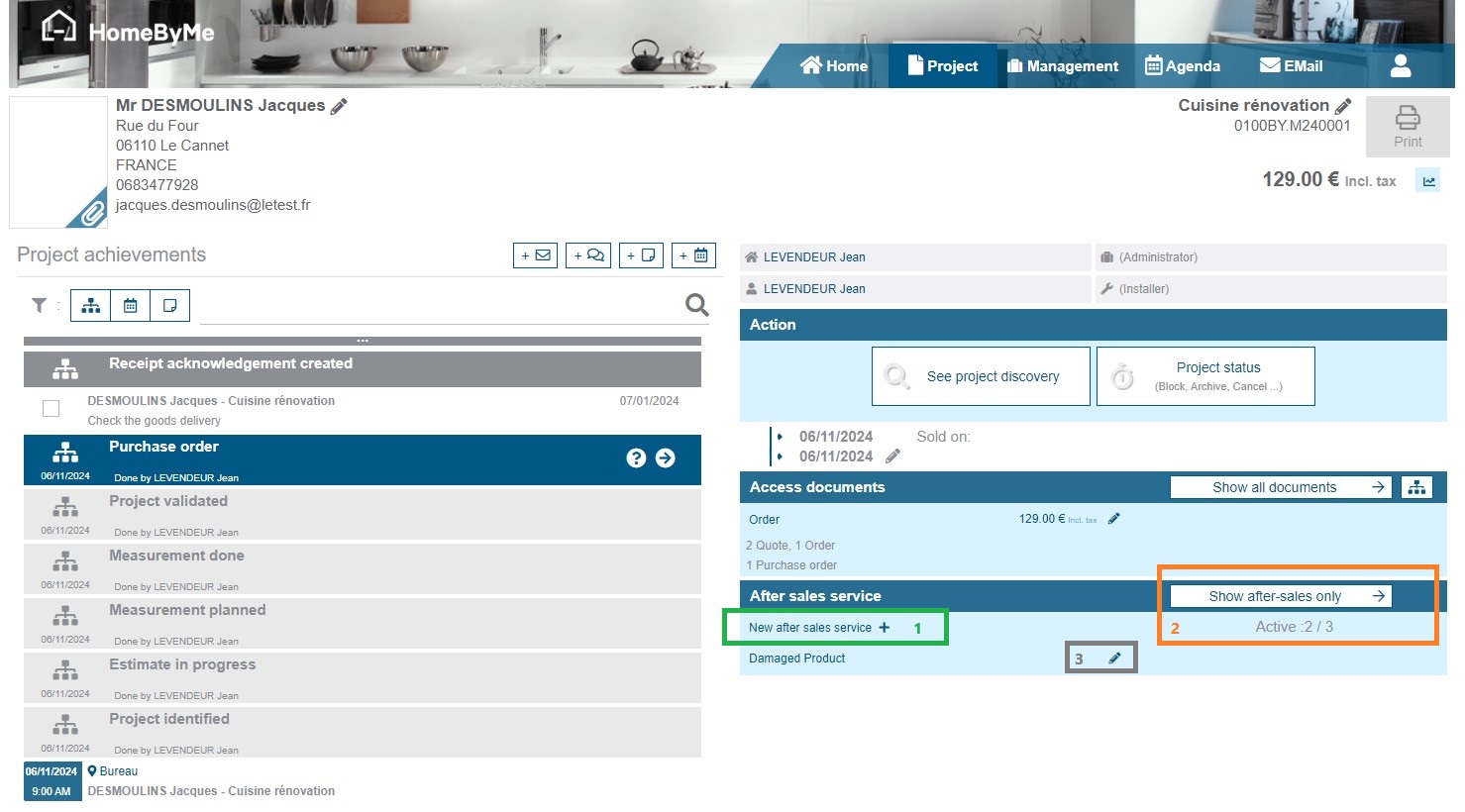
To create an after-sales service project from a customer project, simply click on the following link "New after sales service" (1) from the project details from:
-
(1)To create a new after-sales service, click on the link or on the button '+'
-
(2)To access the existing after-sales service projets for this customer project, click on button "Shpw after-sales only". You also see the number of active after-sales service projects.
-
(3)To access the last entered after-sales service projects, clik on the name or on the button "pen".
An after-sales service can be created from within a customer project at any point in the sales process. Although belonging to the customer project, the after-sales service is also a project with its own discovery, workflow and documents.
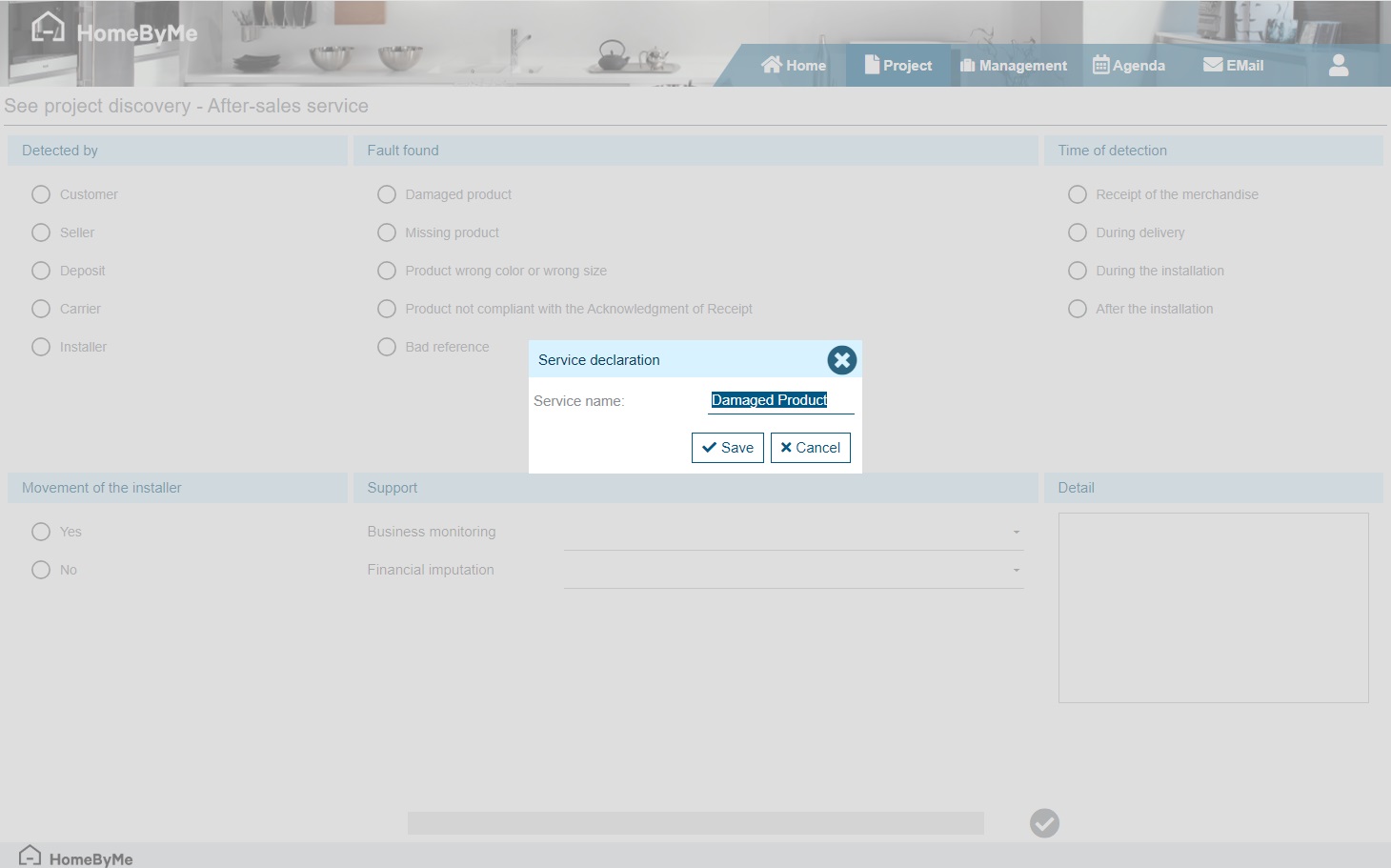
An after-sales service creation always begins with a discovery to indicate the problem encountered:
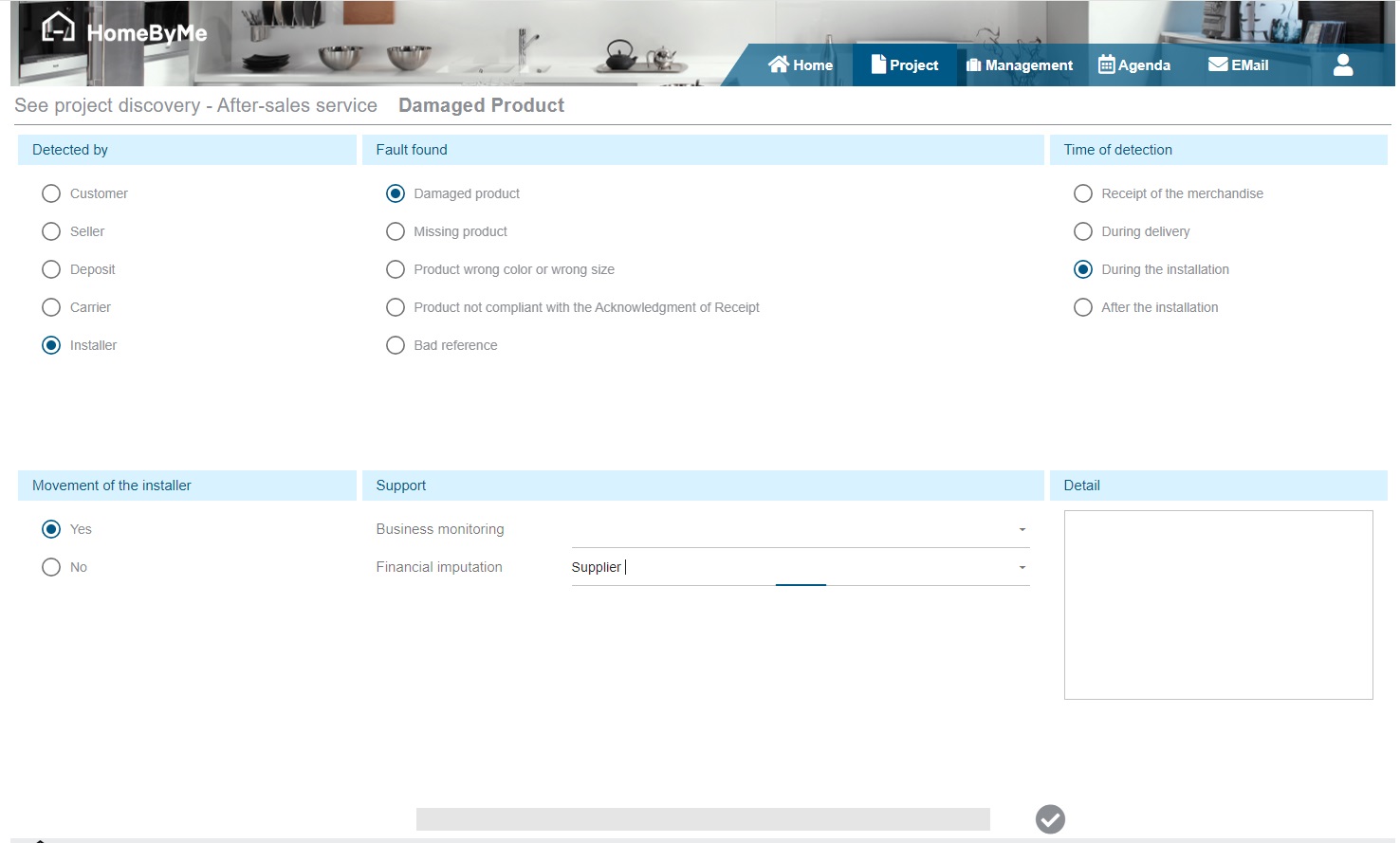
Create an after-sales service document
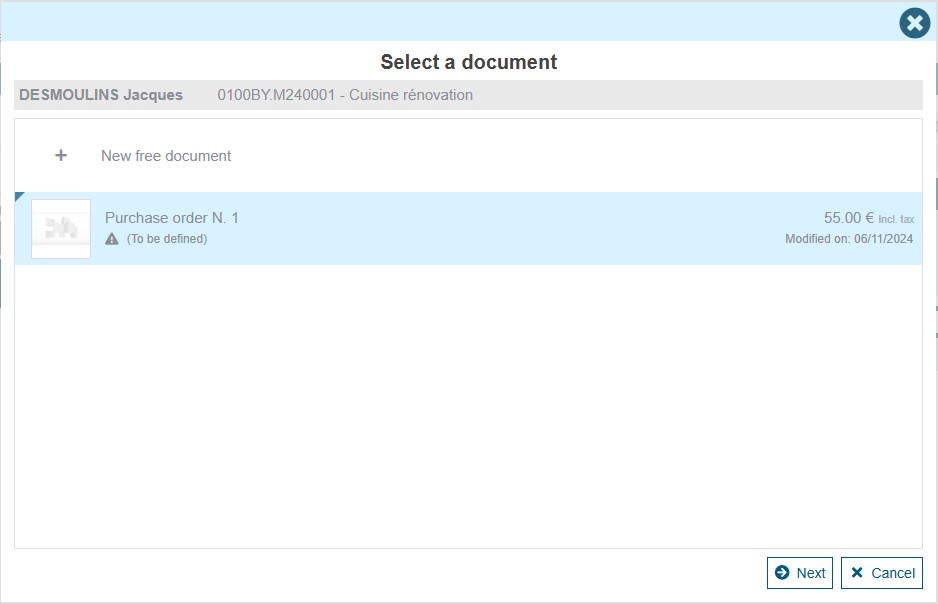
Once the after-sales service project has been created, the user is prompted to create a new “Supplier order” document. This screen enables the user to find the products used in the customer project, and more specifically those present in “Supplier acknowledgement of receipt” type documents.
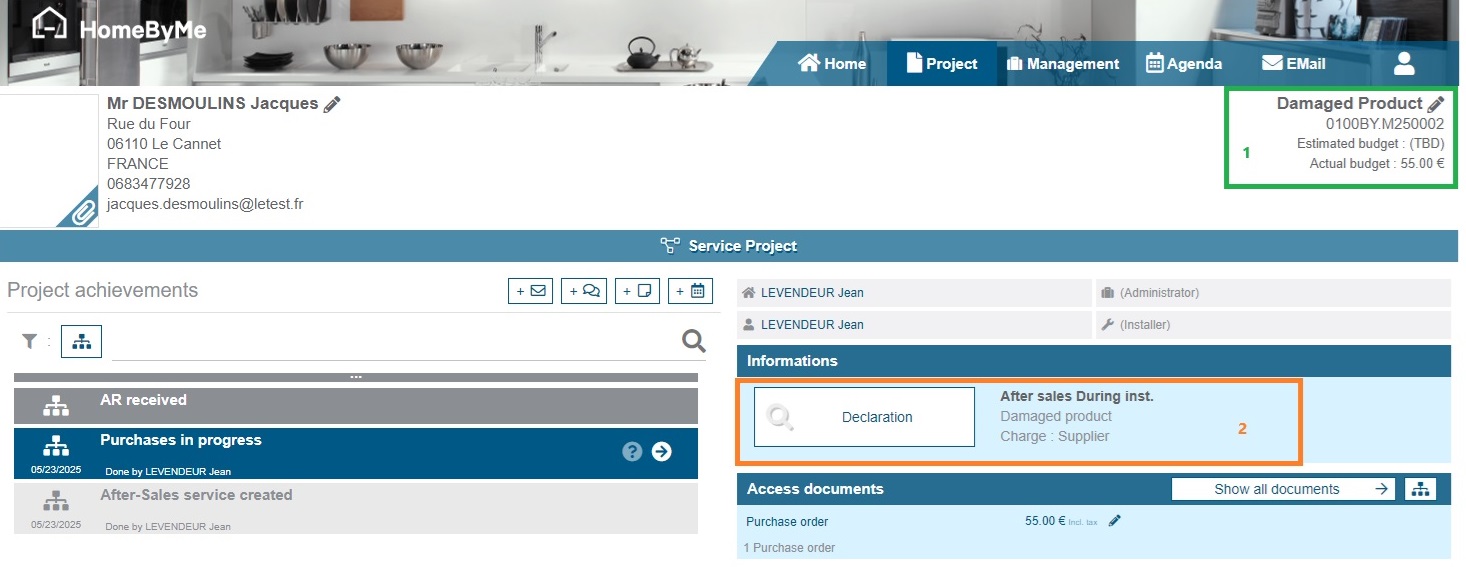
After-sales service information
-
(1)Estimated and actual after-sales budgets can be modified here. Please note! Their value is taken into account when calculating the customer project margin.
-
(2)A summary of the discovery's main responses. The discovery can be modified at any time by clicking on the “Declaration” button.
After-sales service workflow
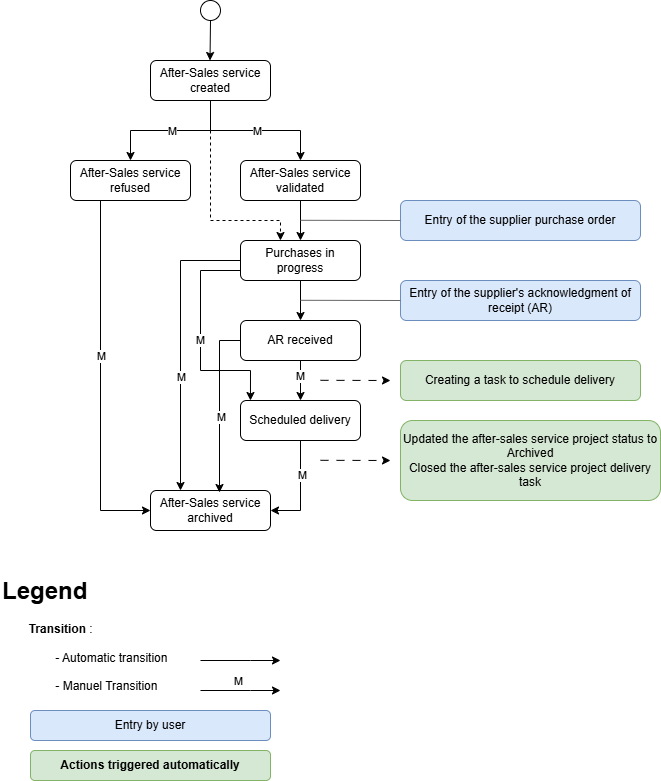
Default after-sale service workflow